


Credit Cards

Credit Cards FAQs

  • How do I add my card to Google Wallet?

    Add your Northern Visa Debit card to Google Wallet on your Android device in a few easy steps:

    1. Look for the app on your phone. Google Wallet comes preloaded on several devices. If your phone doesn't have the app, simply download it from Google Play.
    2. Add your credit or debit card. If you already have a card in your Google account you can add it to Google Wallet by confirming a few details, or you can add a new card by:
      1. Tap the + sign to add your debit card.
      2. Position your card in the camera frame to automatically enter your card information. Enter the security code found on your card and provide additional information as required.
      3. For security purposes, you will need to call the number shown on your phone to verify your card.
  • How do I complete a balance transfer to my Northern credit card?

    Completing a balance transfer is easy and can be done in Online or Mobile Banking.

    When you're ready to complete a balance transfer you will need the following items to get started:

    • Your Northern credit card
    • A recent statement from the creditor/lending institution you are transferring the balance from with the address and account number

    To complete the balance transfer in Online or Mobile Banking, log in, click on Card Controls under Account Services. Locate your credit card and click where it says "click here to learn how to manage your cards," select your card from the drop down menu and click open. This will direct you to MyCardInfo to complete the transfer. In MyCardInfo, place your cursor on "Account Services" and click "Balance Transfer".

    For security, you will need to provide the three-digit code on the back of your Northern credit card before submitting the information from the creditor/lending institution you are transferring the balance from. Once all information is entered, hit Submit and click Continue on the pop-up.

    Be sure to review all information on the confirmation screen. If there is a match with the lending institution you are transferring your balance from, you will see a list of search results with your matching creditor/institution. Select your desired lending institution match and hit submit, so your transfer can be processed as an ACH Payment. If there is no match, verify all the information you have provided is correct and click "Confirm", and the balance transfer will be processed via check.

    If you would prefer assistance with the balance transfer, please complete this form, and a team member will be in touch to assist.

  • How do I advise the credit union that I will be traveling?

    If you are traveling abroad or within the US, you can let us know about your travel plans within Online Banking or the Mobile Banking App, so we can make a note on your accounts and ensure you can access your funds while you’re away.

    Follow the steps below: 

    1. Log in to Online Banking or Mobile Banking.
    2. Hover over the Account Services tab and access Card Controls.
      1. If on the Mobile Banking App, click on More... to locate the Account Services Tab. Once on Card Controls, swipe to access other cards available.
    3. Click "manage card" on the card you will be traveling with.
    4. Click the Travel Notices button.
    5. Enter a start and end date.
    6. Enter a destination.
      1. (Optional) Click the "Add Another Destination" link to add another destination.
      2. (Optional) Use the drop-down to select additional cards to add to the travel notice.
    7. Click the Save button.

    Some additional options include:

    Check out our Online & Mobile Banking User-Guide for step-by-step instructions on other convenient card management options through Digital Banking.


    Get the best Credit Card for your lifestyle

    Designed with you in mind, Northern Credit Union’s Visa® credit cards give you the choice of 1.5% cashback or superior rates. Our cards always offer no balance transfer fees and 0% intro APR on balances for 12 months after account opening. Apply today and take advantage of our fast approval process and in-house card printing to start using your new credit card right away!

    Learn More Apply Now


  • How do I add my card to Apple Pay/Apple Wallet?

    Add your Northern Visa Debit card to Google Pay on your Apple device in a few easy steps:

    1. Look for the "Wallet" app on your iPhone. The Wallet app comes preloaded on Apple devices. 
    2. Add a new card by tapping the + sign in the upper right-hand corner.
    3. Select "Credit or Debit Card" and then Continue
    4. Position your card in the camera frame to automatically enter your card information or enter the card details manually.
    5. Enter the security code found on your card and provide additional information as required.
    6. Review and agree to the Terms and Conditions. 
    7. For security purposes, you may need to call the number shown on your phone to verify your card.
      1. This number shown is our after-hours debit card support number. After additional verification, they can activate your Apple Pay token and allow you to start using it! If you don't feel comfortable calling the number shown, call Northern at 315-782-0155.

  • How does my credit score affect my loan or credit card rate?

    A good credit score can help make all of your dreams come true – and a bad credit score can cost you more with higher rates on loans. If you have a higher credit score, lenders and investors will be more likely to provide lower interest rates and fees, because they’ll have more confidence in your ability to pay on time consistently.

    If you have Digital Banking you can acccess your score for free at anytime! Learn more here.

    Did you know you can check your own credit score for free once annually? A good credit score is essential to your financial health. Visit www.annualcreditreport.com to receive a free copy of your credit score.

    To learn more about what your credit score means, how it affects your life, and how to fix a low score, visit our Managing Your Credit page


    Get the financing you need with Northern Credit Union

    We know life is full of times when you may need to borrow money. Let us help you fund your next big adventure, first home, a fresh set of wheels, or next life milestone. We’re here for you, during each of these moments, to meet all your borrowing needs at competitive rates and terms!

    View Current Rates Explore Loan Apply for a Loan


  • How do I redeem rewards for my Platinum Rewards Visa® credit card?

    Reward redemption starts at $25 and can be redeemed as Cash Back to your Northern checking account, applied as a statement credit, or used as a charitable donation. 

    Redeem your rewards through MyCardInfo, which can be accessed through Card Controls in Online or Mobile Banking found under the "Account Services" tab. 

    To learn how else you can manage your credit card, check out our Step-by-Step User Guide.

  • What is a Digital Wallet?

    A Digital Wallet is a digital version of your wallet on your mobile device. Depending on the phone type you have, your phone will come with the ability to add your debit and credit cards to a wallet so you can pay with your phone using Apple Pay or Samsung/Google Pay. 

  • What types of credit cards do you offer?

    Our credit cards were designed with you in mind – whether you want to pay down debt, build credit, or get rewarded for every purchase you make. Explore our Credit Card page to find the best fit for you!

    • Platinum Rewards Visa®
    • Platinum Visa®
    • Secured Visa®

    To learn more, visit our Credit Cards page. Once you have chosen your new credit card, complete our Online Application, call 315-782-0155, or stop into a relationship center.


    Manage your credit card where and how you want to

    We've made Online & Mobile Banking super easy for our members with features that let you move your money, pay bills, keep track of your balances, and more! This is the epitome of banking-on-the-go.

    Banking on the Go Enroll Today


  • How do I review my credit card rewards balance?

    To view your cashback balance for your Premium Rewards Visa®, log in to Online Banking or Mobile Banking:

    • In Online Banking, click the Account Services tab and select the Card Controls option.
    • In Mobile Banking, choose the More ... option from the bottom navigation menu. Then, select Accounts Services tab and the Card Controls option underneath. Scroll below any recent transactions to locate your rewards balance and the option to browse rewards. 

    Once you're in the Card Controls widget follow these steps to get to MyCardInfo:

    • Click the arrow to drop down the Card Management options.
    • Click on the link provided.
    • Selected the credit card you want to manage.
    • Once in the MyCardInfo dashboard, select your Rewards Balance to manage.

    You can use your cashback as a statement credit or deposit into your Northern Credit Union checking account or to make a donation to the charity of your choice. 


    Access your money where and how you want to

    We've made Online & Mobile Banking super easy for our members with features that let you move your money, pay bills, keep track of your balances, and more! This is the epitome of banking-on-the-go.

    Banking on the Go Enroll Today


  • Do you offer a credit card rewards program?

    Yes! Our Platinum Rewards Visa® credit card offers 1.5% cashback on every purchase.

    Get the best Credit Card for your lifestyle

    Designed with you in mind, Northern Credit Union’s Visa® credit cards give you the choice of 1.5% cashback or superior rates. Our cards always offer no balance transfer fees and 0% intro APR on balances for 12 months after account opening. Apply today and take advantage of our fast approval process and in-house card printing to start using your new credit card right away!

    Learn More Apply Now


  • How can I send credit card payments?

    Northern Credit Union offers several convenient methods by which you can make your credit card payments: 

    • Pay online with Online banking  or Mobile Banking. 
    • Stop into any of our relationship centers to make a payment on your loan—you can save even more time by using an ATM or Personal Teller!
    • Mail-in Payments:
      • Northern Credit Union
        PO Box 37035
        Boone IA 50037-0035
    • Pay over the phone by contacting us at 315-782-0155.


    Manage your accounts from your smartphone

    Mobile Banking is your solution for any time, anywhere access. You can deposit checks, monitor your balances, find shared branch locations, transfer money, and more!


    Visit our Mobile Banking page for more information.


  • Do you offer contactless cards?

    Any new card that is issued or replaced after April 6, 2022, is a contactless card. These cards offer the latest security and save you time at checkout by allowing you to simply "tap to pay," on the screen of the terminal instead of inserting your card into the terminal. Within seconds, you'll hear a beep or see a green checkmark indicator that it worked! 

    Every chip, contactless, and Digital Wallet transaction are made with a unique code, which helps protect against fraud and keep your information safe. 

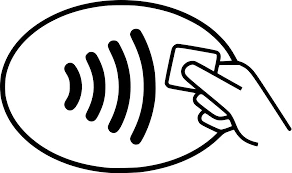
    Look for this icon at checkout to use your contactless card!
    What are the benefits of using your contactless feature?

    • Your contactless transactions are just as secure! Every chip, PIN and contactless transaction include a unique code, helping to protect against fraud and keep your information safe.
    • To keep your card secure, contactless transactions only work within one to two inches from the point-of-sale terminal.
    • It’s more sanitary, you no longer need to type in a keypad, swipe or insert your card.
    • Save time every time you tap!

    How to use your contactless card?

    1. Look for the contactless symbol on the point-of-sale terminal.
    2. Tap your card one to two inches in front of the point-of-sale terminal.
    3. Wait for a beep or green light before removing your card. You can put your card away now; you won’t need it for the remainder of your transaction.
    4. Follow any instructions on the screen, some merchants may ask you to sign or enter your PIN.

    Please note you can only use your card as contactless if the point-of-sale terminal accepts these types of payments, you’ll find this contactless symbol on the terminal if contactless payments are accepted. 

    • If a business does not accept contactless payments or if you receive an error, you can still insert or swipe your card to complete your transaction.
    • Coming soon, all Northern Credit Union Advanced ATMs will support contactless transactions! To access Advanced ATM functions please continue to insert your Debit Card into the card reader. 

    Contactless cards can be requested for $5. For more information regarding these cards or businesses that accept Contactless payments, visit Visa's website: https://usa.visa.com/pay-with-visa/contactless-payments/contactless-payments.html 


  • How do I request a credit limit increase?

    To request a credit limit increase, call 315-782-0155 and have the following information on hand:

    • Current annual income
    • Employment status
    • How much you pay for housing each month

    Want to increase your credit line but not sure if your credit score will allow it? Visit annualcreditreport.com to receive a free copy of your credit score or check your score in Online and Mobile Banking. 


    Get ahead of the game with debt and budget coaching

    At Northern Credit Union, we’re committed to helping you live your best financial life. We know it’s easy to get overwhelmed by debt, tight budgets, and other financial setbacks, so we’re here to help. Check out our budgeting coaches today or give us a call and ask a team member for help!

    Get started with our budgeting coaches today


  • How do I activate my credit card?

    To activate your Northern credit card call 1-888-691-8661 to get started. You will need to follow the prompts to complete activation.

    To establish a PIN for your credit card call 1-888-891-2435. 

  • How can I apply for a credit card online?

    Our credit cards were designed with you in mind – whether you want to pay down debt, build credit, or get rewarded for every purchase you make. Explore our Credit Card page to find the best fit for you!

    • Platinum Rewards Visa®
    • Platinum Visa®
    • Secured Visa®

    Once you have chosen your new credit card, apply securely through Online or Mobile Banking under "Add a Share or Loan," complete our Online Application, or call us or stop into a relationship center.

    Access your money where and how you want to

    We've made Online & Mobile Banking super easy for our members with features that let you move your money, pay bills, keep track of your balances, and more! This is the epitome of banking-on-the-go.

    Banking on the Go Enroll Today


  • What do I do if I lost my ATM/Debit/Credit Card?

    If your Northern debit card has been lost or stolen, contact card services immediately at 1-800-472-3272. We will block your lost card and reissue you a new card. If your Northern credit card has been lost or stolen, contact card services immediately at 1-866-570-1238. 

    Prevent fraud, theft, and financial loss

    Your peace of mind and account security are our top priorities! You work hard for your money, and we respect that, which is why we partner with EZShield to monitor your personal information and help prevent identity theft from happening to you.

    Protect Yourself From Fraud with EZShield


  • How do I dispute a credit card transaction?

    To dispute a credit card transaction, file a claim by calling or texting 315-782-0155, or logging in to Online or Mobile Banking:

    • In Online Banking, click the Account Services tab and select the Card Controls option.
    • In Mobile Banking, choose the More option from the bottom navigation menu. Then, select Card Controls under Account Services.

    Select your credit card from the menu options to open MyCardInfo and submit a dispute. 

    You may need to dispute a credit card transaction if:

    • Someone else used your card without permission.
    • There was a billing error.
    • You’ve made an effort to resolve a problem with the merchant.


    Prevent fraud, theft, and financial loss

    Your peace of mind and account security are our top priorities! You work hard for your money, and we respect that, which is why we partner with EZShield to monitor your personal information and help prevent identity theft from happening to you.

    Protect Yourself From Fraud with EZShield


Browse All FAQs