


All FAQs
About Us FAQs
- How do credit unions differ from banks?
Credit unions are not-for-profit financial cooperatives that are owned by the members of that credit union whereas banks are for-profit institutions owned by shareholders.
Because of these reasons, we're able to pass substantial savings on to our members in comparison with other financial institutions. You could save hundreds - perhaps thousands - of dollars each year by using credit union services as opposed to a commercial bank. As a member-owned financial institution, Northern Credit Union returns operating profits to our members, so you can enjoy:
- Fewer fees
- Lower loan rates
- Potentially higher rates of return on savings accounts
- Personal attention
- Free financial education
- And more!
Get a partner in the next steps of your financial journey
When you become part of the Northern family, you receive exclusive support and attention through a variety of accounts and products to meet your needs. Just open a savings account with a minimum deposit of $5 and become a member for life. Because at Northern Credit Union, your why is our why.
- Can I use Northern Credit Union as a Shared Branch?
Unfortunately, we cannot offer Shared Branch services to non-members. However, Northern Credit Union ATMs are part of CO-OPs surcharge-free network, so members of participating credit unions can use our ATMs free of charge.
Use the locator on our locations page to find a Northern Credit Union ATM near you.
Explore Shared Branch locations for greater convenience
We participate with CO-OP Shared Branching to offer our members exclusive access to thousands of service centers and surcharge-free ATMs across the nation! Conduct your banking tasks just like you would at your local Northern Relationship Center.
Find a CO-OP Location Near You
- What transactions can Northern Credit Union members complete at Shared Branch locations?
Shared Branch transactions may vary based on credit union, but the following transactions may typically be completed at Shared Branches:
- Deposits and withdrawals
- Transfer between accounts
- Check your balance
- Pay loans
We participate in the CO-OP Shared Branch network. To locate a Shared Branch location near you, visit the locations page on our website or click the “Locations” tab in Mobile Banking.
Access your money where and how you want to
We've made Online & Mobile Banking super easy for our members with features that let you move your money, pay bills, keep track of your balances, and more! This is the epitome of banking-on-the-go.
Banking on the Go Enroll Today
- What are the hours of the Shared Branches?
The hours of Shared Branch locations will vary by the credit union. To find a Shared Branch near you, visit our locations page or click the Locations tab in Mobile Banking.
Access your money where and how you want to
We've made Online & Mobile Banking super easy for our members with features that let you move your money, pay bills, keep track of your balances, and more! This is the epitome of banking-on-the-go.
Banking on the Go Enroll Today
- Is the credit union insured by the Federal Deposit Insurance Corp. (FDIC), like banks and thrifts?
The FDIC focuses on insuring banks and trusts. Credit unions are instead insured by the National Credit Union Administration (NCUA). Both institutions insure accounts up to $250,000. The difference is that the NCUA covers regular shares and share draft accounts, which are specific to credit unions, and the $250,000 coverage limit applies to total deposits at a single institution.
Get a partner in the next steps of your financial journey
When you become part of the Northern family, you receive exclusive support and attention through a variety of accounts and products to meet your needs. Just open a savings account with a minimum deposit of $5 and become a member for life. Because at Northern Credit Union, your why is our why.
- How do I request a donation or support for an upcoming event?
To request a donation or support from Northern Credit Union for an upcoming, please complete the Community Involvement Request Form on our website.
Please consider the following when asking for a contribution:
- Requests must be submitted using the online request form to be considered for support or sponsorship.
- Meeting these criteria does not guarantee Northern CU participation.
- Consideration for sponsorship will be based on fund availability.
- Requests are reviewed once a month.
- Requests must be submitted 60 days in advance of the date needed.
- Only one request per organization will be considered during any 12 month period.
Please note: Organizational policy, budget limitations and/or federal law prevent Northern CU from providing sponsorship or support to individuals; school trips; political, sectarian, fraternal or religious organizations; advertising in programs, bulletins, yearbooks or brochures, etc.; organizations or projects focused outside of Jefferson, Lewis, St. Lawrence, Franklin, Clinton, Madison, Onondaga and Oswego counties.
Thank you for thinking of Northern Credit Union and giving us the opportunity to review supporting your cause.
- Where can I get information about career opportunities?
Please find current information on our Careers page.
At Northern Credit Union, we pride ourselves on our great work environment and benefits:
- Named one of the Best Companies to Work for in NY and Best Credit Unions to Work for in the United States.
- Competitive compensation plan
- An enthusiastic, team-oriented environment
- Substantial paid time off
- Outstanding insurance benefits package
- Generous 401K plan
- Tuition reimbursement
- And much more!
Ready to apply?
Apply online through our Careers page today!
- Northern Credit Union is an equal opportunity employer
- What is your mailing address?
Please use the following address for all mail:
- Northern Credit Union
120 Factory Street
Watertown, NY 13601
To find a location convenient to you, visit the locations page on our website or click the “Locations” tab in Mobile Banking.
Access your money where and how you want to
We've made Online & Mobile Banking super easy for our members with features that let you move your money, pay bills, keep track of your balances, and more! This is the epitome of banking-on-the-go.
Banking on the Go Enroll Today
- Northern Credit Union
- Where are the Shared Branch locations?
Shared Branch locations can be found across the United States. Visit the locations page on our website or click the Locations tab in Mobile Banking to find a convenient location near you.
We participate in Shared Branching with CO-OP, which is a cooperative effort between credit unions nationwide to assist each other’s members by providing access to surcharge-free ATMs and the ability to complete common banking transactions in-person at Shared Branch locations.
Access your money where and how you want to
We've made Online & Mobile Banking super easy for our members with features that let you move your money, pay bills, keep track of your balances, and more! This is the epitome of banking-on-the-go.
Banking on the Go Enroll Today
- Can anyone join the credit union?
Just about anyone who falls into one of these categories may apply for membership:
Community Members: Any person who resides, works (regularly conducts business), worships, or attends school in Jefferson, Lewis, St. Lawrence, Oswego, Clinton, Franklin, Onondaga, and Madison Counties in New York, and any family members of such persons.
American Consumer Council (ACC): Our new charter allows members of the American Consumer Council (ACC) - a national organization that advocates for consumer rights and financial education - to join our credit union, so geography is no longer a concern for those who live outside our current communities. We offer complimentary membership to all new and existing members so they can take advantage of the many benefits. Learn more about joining the ACC.
Family Members: Immediate family members of current or eligible Northern members, including a spouse, child, sibling, parent, grandparent, grandchild, stepparent, stepchild, stepsibling, or someone with an adoptive relationship.
Get a partner in the next steps of your financial journey
When you become part of the Northern family, you receive exclusive support and attention through a variety of accounts and products to meet your needs. Just open a savings account with a minimum deposit of $5 and become a member for life. Because at Northern Credit Union, your why is our why.
- Book Appointment
Appointments are not necessary but can be made by calling or texting 315-782-0155. You can also reach us via Online or Mobile Banking to make an appointment.
- Where are your locations?
Find a convenient Northern Credit Union relationship center or surcharge-free ATM near you on the locations page on our website or the by clicking the “Locations” tab in Mobile Banking today!
Explore Shared Branch & ATM locations for greater convenience
We participate with CO-OP Shared Branching to offer our members exclusive access to thousands of service centers and surcharge-free ATMs across the nation! Conduct your banking tasks just like you would at your local Northern relationship center.
Find a CO-OP Location Near You
- What holidays are you closed?
Northern Credit Union relationship centers are closed on all federal reserve holidays. Please see the list of closings below:Even if our relationship centers are closed, you can still access your accounts anytime with Online or Mobile Banking. or make a withdrawal from one of our ATMs. Don’t forget Advanced ATMs also allow you to make loan payments, access all of your shares, and cash checks in just one step!
Holiday Date Alert Me New Year's Day 2026 Jan. 1 (Wednesday) Martin Luther King Jr. Day Jan. 19 (Monday) Presidents Day Feb. 16 (Monday) Memorial Day May 25 (Monday) Juneteenth June 19 (Friday) Labor Day Sept. 7 (Monday) Indigenous Peoples' or Columbus Day Oct. 12 (Monday) Veterans Day Nov. 11 (Wednesday) Thanksgiving Day Nov. 26 (Thursday) Christmas Day Dec. 25 (Friday) New Year's Day 2027 Jan. 1 (Friday) Manage your accounts from your smartphone
Mobile Banking is your solution for any time, anywhere access. You can deposit checks, monitor your balances, find shared branch locations, transfer money, and more!


Visit our Mobile Banking page for more information.
- What are your hours?
For up-to-date relationship center locations and hours, visit the locations page on our website or click the “Locations” tab in Mobile Banking.
Members of our team are also available by phone, live chat, and Mobile or Online message, 9am-5pm Monday-Friday.
Get a partner in the next steps of your financial journey
When you become part of the Northern family, you receive exclusive support and attention through a variety of accounts and products to meet your needs. Just open a savings account with a minimum deposit of $5 and become a member for life. Because at Northern Credit Union, your why is our why.
- What is your contact information?
Please reach us by phone at 315-782-0155 (call or text). You can also connect with us by sending a Mobile, Online or Contact Us message.
If you are calling to report your credit or debit card lost or stolen, please call 315-782-0155 as soon as possible!
Access your money where and how you want to
We've made Online & Mobile Banking super easy for our members with features that let you move your money, pay bills, keep track of your balances, and more! This is the epitome of banking-on-the-go.
Banking on the Go Enroll Today
- What is your routing/ABA number?
Northern Credit Union’s routing number is 221380936.
A routing number is a 9-digit code used to identify financial institutions in electronic transactions. Our routing number is always located at the bottom of our website and Online and Mobile Banking.
Your routing number can also be found in the lower left-hand corner of your checks.
Access your money where and how you want to
We've made Online & Mobile Banking super easy for our members with features that let you move your money, pay bills, keep track of your balances, and more! This is the epitome of banking-on-the-go.
Banking on the Go Enroll Today
Advanced ATM FAQs
- Why Advanced ATMs?
Advanced ATMs are another resource to help you with your everyday banking and ensure more employees are available to help you when you need us for more complex transactions and banking needs. By using an Advanced ATM we can help more members, which lowers costs for the credit union and allows us to give back more to our members.
You will need a debit card to use an Advanced ATM. You can order a debit card by:
- Log into Online Banking or the Mobile Banking App
- Hover over the Account Services tab and access Card Controls
- If on the Mobile Banking App, click on More... to locate the Account Services Tab. Once on Card Controls, swipe to access other cards available.
- Click "manage card" on the card you want to replace
- Click the Card Replacement option
- Complete the requested information
- Send us a secure message
- Calling or texting 1 315.782.0155
- Visiting one of our Relationship Centers
- What ATM network do you use?
We use the CO-OP ATM network.
To find a surcharge-free ATM or Shared Branch near you, use the locator on our website or in the mobile app.
Get a partner in the next steps of your financial journey
When you become part of the Northern family, you receive exclusive support and attention through a variety of accounts and products to meet your needs. Just open a savings account with a minimum deposit of $5 and become a member for life. Because at Northern Credit Union, your why is our why.
- Where are Northern Credit Union ATMs located?
Use the locator on our website or in our Mobile app to find a relationship center, Northern Credit Union ATM, surcharge-free ATM, or Shared Branch location near you.
Explore Shared Branch locations for greater convenience
We participate with CO-OP Shared Branching to offer our members exclusive access to thousands of service centers and surcharge-free ATMs across the nation! Conduct your banking tasks just like you would at your local Northern relationship center.
Find a CO-OP Location Near You
- Can I make ATM deposits?
Yes, you can deposit funds at any deposit-taking Northern Credit Union ATM! Deposits can be made in either cash or by check.
Please note: If you are making a deposit by check, it may take more than one business day for the funds to become available. Refer to our Funds Availability Policy for more information.
Click here to find an ATM location near you!
Explore Shared Branch locations for greater convenience
We participate with CO-OP Shared Branching to offer our members exclusive access to thousands of service centers and surcharge-free ATMs across the nation! Conduct your banking tasks just like you would at your local Northern relationship center.
Find a CO-OP Location Near You
- What is the maximum amount I can withdraw from an ATM in one day?
The maximum daily withdrawal from an ATM is $3,000 total per day. Please note, some ATM transactions might be limited, so you may need to insert your card twice to withdraw $3,000.
For withdrawals surpassing the limit, please connect to Live Assist at an Advanced ATM or visit your local relationship center.
Explore Shared Branch locations for greater convenience
We participate with CO-OP Shared Branching to offer our members exclusive access to thousands of service centers and surcharge-free ATMs across the nation! Conduct your banking tasks just like you would at your local Northern relationship center.
Find a CO-OP Location Near You
- Are there any service fees for ATM withdrawals?
ATM withdrawals at Northern Credit Union or Shared Branch CO-OP ATMs are free for all members of Northern Credit Union. Please note: non-Northern ATMs or ones outside of the Shared Branch Network are subject to fees from the Credit Union and ATM provider.
Members from credit unions in the Shared Branch Networks can also access our ATMs without charge. Please note: If you are a non-member, you will be charged for use of Northern Credit Union's ATMs.
If you’re interested in a checking account that offers ATM fee refunds, our Choice Rewards Checking gives up to $15 back in ATM fees! Visit our Checking page to learn more or become a member today.
Explore Shared Branch locations for greater convenience
We participate with CO-OP Shared Branching to offer our members exclusive access to thousands of service centers and surcharge-free ATMs across the nation! Conduct your banking tasks just like you would at your local Northern relationship center.
Find a CO-OP Location Near You
- Are you implementing Advanced ATMs as a cost-saving measure?
No. Our goal is to create a better experience for you in our drive-thrus and lobbies by increasing the number of tellers available to assist you and decreasing your wait time. We also aim to provide additional hours of service with Advanced ATM technology by having their features available 24/7.
- Are you replacing your employees with Advanced ATMs?
No, Advanced ATMs allow our internal owners to focus on providing you more in-depth banking services. We guarantee you no internal owners are losing their career when you use an Advanced ATM.
- How do I file an ATM dispute?
We understand sometimes technology doesn't work as well as we'd like it to, and we apologize for the inconvenience. If you need to file a dispute about an ATM transaction, please give us a call at 315.782.0155 and we'd be happy to assist.
We'll need to know the following:
- The location of the Northern Credit Union or off-site ATM you used.
- The time and date of the transaction.
- The amount you are disputing.
- Description of your vehicle, if applicable.
- Do I need a debit card to use an Advanced ATM?
Yes, you will need a debit card to use an Advanced ATM. You can order a debit card by:
- Sending us a secure message in Online & Mobile Banking.
- Calling or texting1 315.782.0155
- Visiting one of our Relationship Centers
During business hours, you can connect with a local team member face-to-face using the Live Assist feature on supporting Advanced ATMs.
Learn More About Our Live Assist Service
- How do I use an Advanced ATM?
It’s simple! Just insert your debit card, and we’ll guide you through your transaction, step by step.
Watch our short video to learn how to make loan transfers, select preferred bills for withdrawal and more!
- Where are your locations?
Find a convenient Northern Credit Union relationship center or surcharge-free ATM near you on the locations page on our website or the by clicking the “Locations” tab in Mobile Banking today!
Explore Shared Branch & ATM locations for greater convenience
We participate with CO-OP Shared Branching to offer our members exclusive access to thousands of service centers and surcharge-free ATMs across the nation! Conduct your banking tasks just like you would at your local Northern relationship center.
Find a CO-OP Location Near You
ATM FAQs
- What can I do using an Advanced ATM?
Our Advanced ATMs provide convenient access to your accounts so you can do your banking outside of business hours and without leaving your car.
Advanced ATM benefits include the ability to:
- Cash a check in just one step
- Make a loan payment by cash, check or transfer
- Request a mini-statement showing your most recent transactions
- See all accounts and shares you have access to
- Choose your cash denominations for withdrawal.
- Pick between fewest, mixed or customize!
- Get your banking done fast—skip the line inside the relationship center.
- Do all of the above – 24/7
Learn More About Our Advanced ATMS
- What ATM network do you use?
We use the CO-OP ATM network.
To find a surcharge-free ATM or Shared Branch near you, use the locator on our website or in the mobile app.
Get a partner in the next steps of your financial journey
When you become part of the Northern family, you receive exclusive support and attention through a variety of accounts and products to meet your needs. Just open a savings account with a minimum deposit of $5 and become a member for life. Because at Northern Credit Union, your why is our why.
- Where are Northern Credit Union ATMs located?
Use the locator on our website or in our Mobile app to find a relationship center, Northern Credit Union ATM, surcharge-free ATM, or Shared Branch location near you.
Explore Shared Branch locations for greater convenience
We participate with CO-OP Shared Branching to offer our members exclusive access to thousands of service centers and surcharge-free ATMs across the nation! Conduct your banking tasks just like you would at your local Northern relationship center.
Find a CO-OP Location Near You
- Can I make ATM deposits?
Yes, you can deposit funds at any deposit-taking Northern Credit Union ATM! Deposits can be made in either cash or by check.
Please note: If you are making a deposit by check, it may take more than one business day for the funds to become available. Refer to our Funds Availability Policy for more information.
Click here to find an ATM location near you!
Explore Shared Branch locations for greater convenience
We participate with CO-OP Shared Branching to offer our members exclusive access to thousands of service centers and surcharge-free ATMs across the nation! Conduct your banking tasks just like you would at your local Northern relationship center.
Find a CO-OP Location Near You
- What is the maximum amount I can withdraw from an ATM in one day?
The maximum daily withdrawal from an ATM is $3,000 total per day. Please note, some ATM transactions might be limited, so you may need to insert your card twice to withdraw $3,000.
For withdrawals surpassing the limit, please connect to Live Assist at an Advanced ATM or visit your local relationship center.
Explore Shared Branch locations for greater convenience
We participate with CO-OP Shared Branching to offer our members exclusive access to thousands of service centers and surcharge-free ATMs across the nation! Conduct your banking tasks just like you would at your local Northern relationship center.
Find a CO-OP Location Near You
- Are there any service fees for ATM withdrawals?
ATM withdrawals at Northern Credit Union or Shared Branch CO-OP ATMs are free for all members of Northern Credit Union. Please note: non-Northern ATMs or ones outside of the Shared Branch Network are subject to fees from the Credit Union and ATM provider.
Members from credit unions in the Shared Branch Networks can also access our ATMs without charge. Please note: If you are a non-member, you will be charged for use of Northern Credit Union's ATMs.
If you’re interested in a checking account that offers ATM fee refunds, our Choice Rewards Checking gives up to $15 back in ATM fees! Visit our Checking page to learn more or become a member today.
Explore Shared Branch locations for greater convenience
We participate with CO-OP Shared Branching to offer our members exclusive access to thousands of service centers and surcharge-free ATMs across the nation! Conduct your banking tasks just like you would at your local Northern relationship center.
Find a CO-OP Location Near You
- How do I file an ATM dispute?
We understand sometimes technology doesn't work as well as we'd like it to, and we apologize for the inconvenience. If you need to file a dispute about an ATM transaction, please give us a call at 315.782.0155 and we'd be happy to assist.
We'll need to know the following:
- The location of the Northern Credit Union or off-site ATM you used.
- The time and date of the transaction.
- The amount you are disputing.
- Description of your vehicle, if applicable.
- Where are your locations?
Find a convenient Northern Credit Union relationship center or surcharge-free ATM near you on the locations page on our website or the by clicking the “Locations” tab in Mobile Banking today!
Explore Shared Branch & ATM locations for greater convenience
We participate with CO-OP Shared Branching to offer our members exclusive access to thousands of service centers and surcharge-free ATMs across the nation! Conduct your banking tasks just like you would at your local Northern relationship center.
Find a CO-OP Location Near You
Auto Loans FAQs
- What insurance requirements do you have for auto loans?
We require that our members have full coverage on any vehicle in which Northern Credit Union is the lien holder. If you switch insurance, please remember to send in a new proof of insurance. If insurance lapses, you may be subject to force-placed insurance and any costs associated with it.
Submit proof of Insurance:
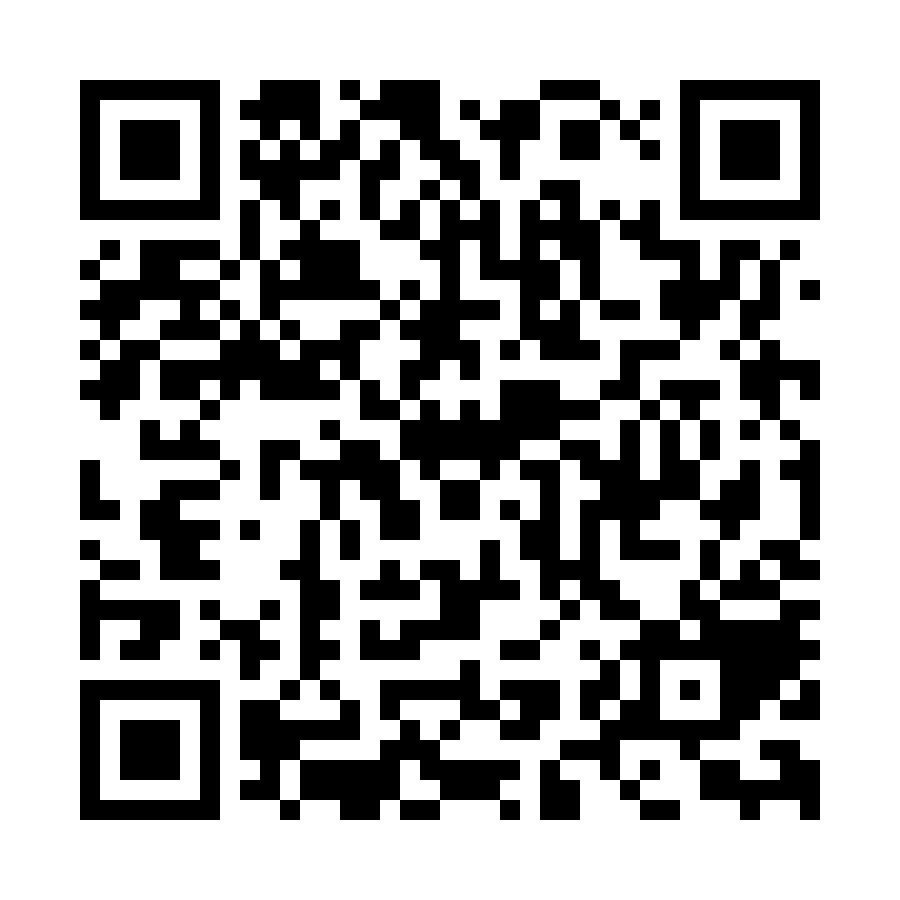
Scan the QR code to access the portal on your phone.
Website: https://www.myloaninsurance.com/mynorthern.
Toll Free Number: 866-337-6900
Toll Free Fax Number: 877-247-6934Mailing Address:
PO Box 924179
Fort Worth, TX 76124Email Address: mynorthern@myloaninsurance.com
Insurance options to secure your life and loved ones
If you're looking for that safety net for your life, home, car, or other personal belongings, we've got you covered. From Home and Auto Insurance to Life and Disability Protection, and options in between, Northern CU can be your go-to insurance provider.
Home & Auto Insurance Life Insurance Life Disability Insurance
- How long will it take to receive a vehicle title when a member pays their auto loan off?
Northern Credit Union does not hold titles and therefore do not issue new titles. A Lien Release will automatically be issued to the address on file 10 days after the loan payoff is reported.
Find out how much money you could save with Northern
Use our Auto Loan Comparison calculator to see how much you can save with our super low rates on Auto Loans. Simply complete our form and we’ll get back to you via your choice of phone or email to discuss the best way to maximize your savings.
Get started with our Auto Loan Calculator
- How do I apply to refinance my auto loan?
You can apply to refinance your auto loan securely through Online or Mobile Banking, or using our Online Application. Oftentimes we’re able to lower your rate, shrink your payments or shorten your term when you refinance loans from other lenders. Check out our Loan Saver calculator to see how much you can save.
Hit the road in less time and for less money with Northern Credit Union.
We offer personalized financing options for new and used vehicles with low rates and flexible terms. Get approved quickly and sign your loan documents electronically, so you can drive your new set of wheels home sooner.
Learn More Apply For Your Auto Loan
- Do I have to buy from an auto dealer?
No! We finance both private and dealership sales.
For more information on auto loans, visit the Auto Loans page of our website.
Hit the road in less time and for less money with Northern Credit Union.
We offer personalized financing options for new and used vehicles with low rates and flexible terms. Get approved quickly and sign your loan documents electronically, so you can drive your new set of wheels home sooner.
Learn More Apply For Your Auto Loan
- Can I apply for an auto loan if I have not found the car I want yet?
Yes! You can apply online for pre-approval today.
You can also learn more about Northern Credit Union's auto loan offerings on the Auto Loans page of our website.
Hit the road in less time and for less money with Northern Credit Union.
We offer personalized financing options for new and used vehicles with low rates and flexible terms. Get approved quickly and sign your loan documents electronically, so you can drive your new set of wheels home sooner.
Learn More Apply For Your Auto Loan
- If I have bad credit, can I qualify for an auto loan?
Yes! We strive to provide the financial assistance you need despite less than perfect credit history.
Hit the road in less time and for less money with Northern Credit Union.
We offer personalized financing options for new and used vehicles with low rates and flexible terms. Get approved quickly and sign your loan documents electronically, so you can drive your new set of wheels home sooner.
Learn More Apply For Your Auto Loan
- What are the current auto loan rates?
View our current Auto Loan rates on the rates page of our website.
You can also learn more about Northern Credit Union's auto loan options on the Auto Loans page of our website.
Hit the road in less time and for less money with Northern Credit Union.
We offer personalized financing options for new and used vehicles with low rates and flexible terms. Get approved quickly and sign your loan documents electronically, so you can drive your new set of wheels home sooner.
Learn More Apply For Your Auto Loan
Bill Pay FAQs
- What are some common Payees in Bill Pay?
When adding a payee in Bill Pay, use the search bar to locate the merchant within populated database. If your payee is located in the populated menu, your account number will be verified against the payee network to accept your payment electronically!
Electronic payments are processed as quickly as 1 business day. Always refer to your most recent billing statement for the payment address and account number.
Our top 10 electronic Payees in Bill Pay are:
- National Grid-Niagara Mohawk Power Corp
- Chase MasterCard & VISA
- Time Warner Cable - Eastern Region (Also known as Spectrum)
- Capital One
- Community Bank NA Loan
- Discover Card
- Five Star Bank Loan
- Verizon Wireless
- Kohl's
- Bank of America Standard MasterCard and Visa
For more information on Bill Pay, visit the Bill Pay page of our website.
Pay all your bills from any device, anywhere
Bill Pay is a simple, free service that provides an easier and automatic way to pay all of your bills right from Mobile or Online Banking. You can simply set up one-time or recurring payments so you never miss a due date.
Learn about bill pay Enroll Now
- How do I access Bill Pay through Online & Mobile Banking?
To access Bill Pay through Online or Mobile Banking, follow the steps below:
- Log in to Online or Mobile Banking.
- Click Transfer & Pay and select Bill Pay.
- If you are using Mobile Banking, tap Bill Pay from the bottom navigation menu.
Please refer to our Online Banking User Guide for more information on Bill Pay.
Bill Pay is a simple, free service that provides an easier and automatic way to pay all of your bills right from Mobile or Online Banking. You can simply set up one-time or recurring payments so you never miss a due date.
Learn about bill pay Enroll Now
- Can I use Bill Pay with the Mobile App?
Yes! Bill Pay is available conveniently through Online Banking and our Mobile Banking app! Simply login and select "Bill Pay" from the bottom navigation menu to get started.
For more information on Bill Pay, including our How-To video guides, and step-by-step user guide, visit our Bill Pay page.
Pay all your bills from any device, anywhere
Bill Pay is a simple, free service that provides an easier and automatic way to pay all of your bills right from Mobile or Online Banking. You can simply set up one-time or recurring payments so you never miss a due date.
Learn about bill pay Enroll Now
- Is Bill Pay secure?
You can have peace of mind knowing that our Bill Pay service meets all security requirements and is thoroughly protected. We're dedicated to your financial safety from Bill Pay to Mobile Banking, and everything in between!
For more information on Bill Pay, including How-To videos, visit our Bill Pay page.
Pay all your bills from any device, anywhere
Bill Pay is a simple, free service that provides an easier and automatic way to pay all of your bills right from Mobile or Online Banking. You can simply set up one-time or recurring payments so you never miss a due date.
Learn about bill pay Enroll Now
- How do I enroll in eBills?
Bill Pay allows you to pay your monthly bills including major credit card companies, automotive finance companies, utility companies, and more! When you enroll in an eBill with one of your payees, your monthly electronic statement is sent to Bill Pay for you to easily review and schedule your payment.
Follow the steps below:
- Log in the Mobile Banking app or Online Banking.
- Click on the Transfer & Pay tab and select Bill Pay.
- Click the Manage Payees tab.
- Click on the Payee you want to enroll in eBills. Please Note: Only electronic payees are eligible for eBills, and not all payees participate.
- Click the “Enroll in E-Bills” link.
- Click the Get Started button.
- Enter your username and password for the biller’s website and click the Submit button.
Please refer to our Online & Mobile Banking User Guide for more information.
Manage your accounts from your smartphone
Mobile Banking is your solution for anytime, anywhere access. You can deposit checks, monitor your balances, find shared branch locations, transfer money, and more!

Visit our Mobile Banking page for more information.
- How do I add a payee in Bill Pay?
Follow the steps below:
- Log in to Online or Mobile Banking.
- Click on the Transfer & Pay tab and select Bill Pay.
- If you're using Mobile Banking, select Bill Pay from the bottom navigation menu.
- Click the Manage Payees tab.
- Click the “Add Payee” link.
- Click on one of the preloaded payees, or click the “click here to create a Payee manually” link to create a new payee.
- Fill in the payee information and click "Add Payee".
Please refer to the "Bill Pay" section of our Online Banking User Guide for more information.
Manage your accounts from your smartphone
Mobile Banking is your solution for anytime, anywhere access. You can deposit checks, monitor your balances, find shared branch locations, transfer money, and more!

Visit our Mobile Banking page for more information.
- How do I enroll in Bill Pay?
Bill Pay is a free service to you that allows you to make one-time or recurring monthly payments from the security and convenience of your own home, or on-the-go!
Some of the most common payments scheduled through Bill Pay are for credit cards, auto loans, monthly utilities, or payments made to local businesses and individuals you need to write a check for.
Follow the steps below to get started with Bill Pay:
- Log in to Online or Mobile Banking.
- Click on Transfer & Pay, then select Bill Pay.
- In Mobile Banking: Tap Bill Pay.
- Add a Payee under "Manage Payees."
- Return to "Payments" to start scheduling payments.
Visit our Online & Mobile Banking User Guide for a step-by-step on how to use Bill Pay.
Manage your accounts from your smartphone
Mobile Banking is your solution for anytime, anywhere access. You can deposit checks, monitor your balances, find shared branch locations, transfer money, and more!

Visit our Mobile Banking page for more information.
- When should my online bill pay payment go through?
The Bill Pay cut-off time is 4:00 pm EST. Typically, your payment will be processed within the next business day if it's an electronic payment.
A payment that is sent by check tends to take longer to process due to requiring postage and action by the receiver of the item. Please make sure you keep that in mind when scheduling payments that have a due date. Payees who receive bill payments by check appear with an envelope next to their name. A plug icon appears next to the name of payees who receive payments electronically.
For more information on Bill Pay, including How-To video guides, visit our Bill Pay page.
Manage your accounts from your smartphone
Mobile Banking is your solution for anytime, anywhere access. You can deposit checks, monitor your balances, find shared branch locations, transfer money, and more!

Visit our Mobile Banking page for more information.
- How much does it cost to use Bill Pay?
Bill Pay is a free service offered to our members through Online and Mobile Banking. Bill Pay allows you to make one-time or recurring, electronic payments from the security of your own home!
For more information on Bill Pay, visit the Bill Pay page of our website.
Pay all your bills from any device, anywhere
Bill Pay is a simple, free service that provides an easier and automatic way to pay all of your bills right from Mobile or Online Banking. You can simply set up one-time or recurring payments so you never miss a due date.
Learn about bill pay Enroll Now
Business Banking FAQs
- How do I add Sub-Users/Employee roles in Online & Mobile to help manage my business?
Add employee roles to help manage your account. You control what they have access to see and do.
- Log in to your business account using Online or Mobile Banking
- Click on the Account Services tab and select the Business Admin option.
- Select the Users tab, and click the Add a User button.
- Enter the new user's Username, First Name, Last Name, Email address, and any supporting information.
- Select their permission types, assign accounts and set limits to the transactions they are allowed to do.
The user will receive an email with their temporary password to login. They will be prompted to reset their password. All password resets must go through an authorized Business Admin.
Please refer to our Business Online & Mobile Banking User Guide for more information.
- What Business Reports are available to me? How do I run them?
The Business Report tools are available to give you a better picture of your business cashflow.
The standard report in the feature integrates with your Quickbooks accounting system to help with daily account reconciliation, streamlining some of your bookkeeping.
Custom report features allow you to look more closely at your ACH details and transaction history.
Log into Online or Mobile Banking under your Business Banking account, and navigate to the "Account Services" tab to locate Business Reports.
For detailed step-by-step instructions on available reports check out our Online Banking user guide.
- What documents are required to open a Business Account?
The documents required to open a Business Account vary depending on your business type. Please call or text 315-782-0155, use live chat on our website, or visit any of our relationship centers for an accurate list of what will be required for your specific business account.
Let’s get you open for business
When you open a business checking and savings account with us, we take the work out of managing your finances so you can focus on growing your business. We offer business checking, savings, investing, and borrowing designed for companies like yours!
Explore Business Banking Become a Business Member
- What features are available in Online and Mobile Banking for business owners?
With Business Banking, you can:
- Add employees as Online Banking users to help manage your account. You control what they have access to see and do.
- Easily create, edit and authorize Automatic Clearing House (ACH)* payments to your employees, vendors, and others. Save and schedule these payments to streamline your bookkeeping.
- Create, manage and send business wires.*
- Take advantage of custom reporting to help streamline daily account reconciliation, show transaction history, and more to give you a full picture of your business cash flow!
- Deposit checks conveniently from your place of business!
*Underwriting guidelines apply to ACH and Wires. If you are interested in these features, give us a call at 315.782.0155 to get started. - What is an ACH Template?
- An ACH template* is a set of instructions that, once created and saved, can be used in the future to send payments of a similar nature.
- You may use ACH templates to set up direct deposit payments to employees, pay vendors and others. You can save and schedule these payments to streamline your bookkeeping.
- For detailed step-by-step instructions on setting up ACH templates check out our Business Online and Mobile Banking User Guide or check out this video.
* Underwriting guidelines will apply for ACH and wires. Call 315.782.0155 to talk with a team member now.
- Do you offer Business Accounts?
Yes! We offer the following business accounts:
Let’s get you open for business
When you open a business checking and savings account with us, we take the work out of managing your finances so you can focus on growing your business. We offer business checking, savings, investing, and borrowing designed for companies like yours!
Business Online & Mobile Banking Become a Business Member
- What if I forgot my username or password?
- Resetting your password or username is easy.
- Simply click the Forgot Username or Forgot Password link on the login screen, answer a few questions, select a delivery method to receive your temporary password (phone or email), and follow the steps to login.
- If you're locked out from too many incorrect password attempts, you will be prompted to reset your password to unlock your account. Watch this quick video to learn more.
- For detailed step-by-step instructions see our Business Online and Mobile Banking User Guide.
- How do I use the Business Wire feature?
- The Business Wires* feature allows you to schedule Fedwire-formatted domestic or international wire transfers in just a few steps.
- Create your wire by simply entering required information for your payee, including their name, funding account, payment amount, send date and whether it's a recurring payment. Once complete, you'll be able to confirm the information and process the wire.
- The platform also allows you to view wires that are scheduled and history of wires you have sent.
- Please note, if you've previously sent business wires with the credit union by calling and working with a team member, these will not populate in the new platform's history.
- For detailed step-by-step instructions on wires see our Online and Mobile Banking User Guide or check out this video.
* Underwriting guidelines will apply for ACH and wires. Call 315.782.0155 to talk with a team member now.
- Do I need to update my Mobile Banking app?
Yes, frequent updates to the Mobile Banking app may be required, just as your Apple and Android-based device receives regular software updates for it's operating system.
In order to provide a better and more secure digital banking experience to our users, we support the 2 most current versions of supporting browsers and operating systems for your mobile device.
- If you have automatic app updates on your mobile device, you may receive any app updates when they are available and your device is connected to it's charging station and internet.
- If you are manually installing new updates to the mobile app, search for the Northern Credit Union/Countryside mobile app from the Apple App Store or from Google Play for Android phones to check for updates or uninstall the current app version you have and download as new from the app store.

Visit our Mobile Banking page for more information.
- Do you offer business loans?
Yes. We offer business loans to fit your short and long term needs!
For more information, visit our Business Loans page.
Let’s get you open for business
When you open a business checking and savings account with us, we take the work out of managing your finances so you can focus on growing your business. We offer business checking, savings, investing, and borrowing designed for companies like yours!
Explore Business Banking Become a Business Member
Checking FAQs
- Can I open a savings or checking account online?
Absolutely! You can also get started with our online account application.
If you have further questions, use live chat on our website or send us a message!
Get a partner in the next steps of your financial journey
When you become part of the Northern family, you receive exclusive support and attention through a variety of accounts and products to meet your needs through every step of life. Your why is our why. Just open a savings account with a minimum deposit of $5 and become a member for life.
- Are there a minimum number of deposits I have to make into a checking account per month?
There is no minimum deposit that you must make into your checking account each month. However, there are specific requirements that must be met to receive rewards or dividends on some accounts. Learn more about these requirements on our Checking page.
For more information on fees associated with our savings and checking accounts, see our Fee Schedule.
Get a partner in the next steps of your financial journey
When you become part of the Northern family, you receive exclusive support and attention through a variety of accounts and products to meet your needs through every step of life. Your why is our why. Just open a savings account with a minimum deposit of $5 and become a member for life.
- Is there a minimum deposit required to open a checking account?
There is a minimum deposit of $1.00 required to open a checking account.
For more information about our account offerings, including cashback, dividends, and ATM fee refunds, please refer to our Checking page.
Get a partner in the next steps of your financial journey
When you become part of the Northern family, you receive exclusive support and attention through a variety of accounts and products to meet your needs through every step of life. Your why is our why. Just open a savings account with a minimum deposit of $5 and become a member for life.
- What should I do if I have a negative balance in my Checking Account?
You must make a deposit to correct the negative balance. You can make a deposit using Mobile Deposit, at any deposit-taking ATM or Shared Branching location, or by visiting a local relationship center.
If you have questions pertaining to the balance on the account, please call or text us at 315-782-0155, use live chat on our website, or send us a Mobile or Online secure message to discuss your account in further detail.
Choose the Overdraft Protection that’s right for you
Balance a little low? Don’t worry, we’ve got you covered. We offer a variety of Overdraft Privilege options including coverage for checks, ACH payments, share-to-share transactions, and an Overdraft Line of Credit (ODLOC).
- Why did my check clear for a different amount than I wrote it for?
There may have been an error with the entered amount on your check. Call or text us at 315-782-0155 or 866-310-6328, use live chat on our website, or send us a Mobile or Online secure message to discuss your account in further detail.
You can also keep tabs on incoming and outgoing funds with Online Banking, Mobile Banking, and eAlerts.
Pay all your bills from any device, anywhere
Bill Pay is a simple, free service that provides an easier and automatic way to pay all of your bills right from Mobile or Online Banking. You can simply set up one-time or recurring payments so you never miss a due date.
Learn about bill pay Enroll Now
- How can I get a copy of a canceled (cleared) check?
You can get a copy of a cleared check through Online Banking.
- A canceled check is a check which has cleared the depositor’s account and therefore marked “canceled” by the depositor’s financial institution. Copies of canceled checks can be used as proof of payment and are accessible for up to 7 years.
- If you are unable to see the check online or you do not use Online Banking, please use live chat on our website, send us a message, or call 315-782-0155 for assistance.
Access your money where and how you want to
We've made Online & Mobile Banking super easy for our members with features that let you move your money, pay bills, keep track of your balances, and more! This is the epitome of banking-on-the-go.
Banking on the Go Enroll Today
Credit Cards FAQs
- How do I add my card to Google Wallet?
Add your Northern Visa Debit card to Google Wallet on your Android device in a few easy steps:
- Look for the app on your phone. Google Wallet comes preloaded on several devices. If your phone doesn't have the app, simply download it from Google Play.
- Add your credit or debit card. If you already have a card in your Google account you can add it to Google Wallet by confirming a few details, or you can add a new card by:
- Tap the + sign to add your debit card.
- Position your card in the camera frame to automatically enter your card information. Enter the security code found on your card and provide additional information as required.
- For security purposes, you will need to call the number shown on your phone to verify your card.
- How do I complete a balance transfer to my Northern credit card?
Completing a balance transfer is easy and can be done in Online or Mobile Banking.
When you're ready to complete a balance transfer you will need the following items to get started:
- Your Northern credit card
- A recent statement from the creditor/lending institution you are transferring the balance from with the address and account number
To complete the balance transfer in Online or Mobile Banking, log in, click on Card Controls under Account Services. Locate your credit card and click where it says "click here to learn how to manage your cards," select your card from the drop down menu and click open. This will direct you to MyCardInfo to complete the transfer. In MyCardInfo, place your cursor on "Account Services" and click "Balance Transfer".
For security, you will need to provide the three-digit code on the back of your Northern credit card before submitting the information from the creditor/lending institution you are transferring the balance from. Once all information is entered, hit Submit and click Continue on the pop-up.
Be sure to review all information on the confirmation screen. If there is a match with the lending institution you are transferring your balance from, you will see a list of search results with your matching creditor/institution. Select your desired lending institution match and hit submit, so your transfer can be processed as an ACH Payment. If there is no match, verify all the information you have provided is correct and click "Confirm", and the balance transfer will be processed via check.
If you would prefer assistance with the balance transfer, please complete this form, and a team member will be in touch to assist.
- How do I advise the credit union that I will be traveling?
If you are traveling abroad or within the US, you can let us know about your travel plans within Online Banking or the Mobile Banking App, so we can make a note on your accounts and ensure you can access your funds while you’re away.
Follow the steps below:
- Log in to Online Banking or Mobile Banking.
- Hover over the Account Services tab and access Card Controls.
- If on the Mobile Banking App, click on More... to locate the Account Services Tab. Once on Card Controls, swipe to access other cards available.
- Click "manage card" on the card you will be traveling with.
- Click the Travel Notices button.
- Enter a start and end date.
- Enter a destination.
- (Optional) Click the "Add Another Destination" link to add another destination.
- (Optional) Use the drop-down to select additional cards to add to the travel notice.
- Click the Save button.
Some additional options include:
- Calling or texting 315-782-0155.
- Sending us a secure message through the Message Center in Online/Mobile Banking.
- Visiting one of our Relationship Centers.
Check out our Online & Mobile Banking User-Guide for step-by-step instructions on other convenient card management options through Digital Banking.
Get the best Credit Card for your lifestyle
Designed with you in mind, Northern Credit Union’s Visa® credit cards give you the choice of 1.5% cashback or superior rates. Our cards always offer no balance transfer fees and 0% intro APR on balances for 12 months after account opening. Apply today and take advantage of our fast approval process and in-house card printing to start using your new credit card right away!
- How do I add my card to Apple Pay/Apple Wallet?
Add your Northern Visa Debit card to Google Pay on your Apple device in a few easy steps:
- Look for the "Wallet" app on your iPhone. The Wallet app comes preloaded on Apple devices.
- Add a new card by tapping the + sign in the upper right-hand corner.
- Select "Credit or Debit Card" and then Continue
- Position your card in the camera frame to automatically enter your card information or enter the card details manually.
- Enter the security code found on your card and provide additional information as required.
- Review and agree to the Terms and Conditions.
- For security purposes, you may need to call the number shown on your phone to verify your card.
- This number shown is our after-hours debit card support number. After additional verification, they can activate your Apple Pay token and allow you to start using it! If you don't feel comfortable calling the number shown, call Northern at 315-782-0155.
- How does my credit score affect my loan or credit card rate?
A good credit score can help make all of your dreams come true – and a bad credit score can cost you more with higher rates on loans. If you have a higher credit score, lenders and investors will be more likely to provide lower interest rates and fees, because they’ll have more confidence in your ability to pay on time consistently.
If you have Digital Banking you can acccess your score for free at anytime! Learn more here.
Did you know you can check your own credit score for free once annually? A good credit score is essential to your financial health. Visit www.annualcreditreport.com to receive a free copy of your credit score.
To learn more about what your credit score means, how it affects your life, and how to fix a low score, visit our Managing Your Credit page
Get the financing you need with Northern Credit Union
We know life is full of times when you may need to borrow money. Let us help you fund your next big adventure, first home, a fresh set of wheels, or next life milestone. We’re here for you, during each of these moments, to meet all your borrowing needs at competitive rates and terms!
View Current Rates Explore Loan Apply for a Loan
- How do I redeem rewards for my Platinum Rewards Visa® credit card?
Reward redemption starts at $25 and can be redeemed as Cash Back to your Northern checking account, applied as a statement credit, or used as a charitable donation.
Redeem your rewards through MyCardInfo, which can be accessed through Card Controls in Online or Mobile Banking found under the "Account Services" tab.
To learn how else you can manage your credit card, check out our Step-by-Step User Guide.
- What is a Digital Wallet?
A Digital Wallet is a digital version of your wallet on your mobile device. Depending on the phone type you have, your phone will come with the ability to add your debit and credit cards to a wallet so you can pay with your phone using Apple Pay or Samsung/Google Pay.
- What types of credit cards do you offer?
Our credit cards were designed with you in mind – whether you want to pay down debt, build credit, or get rewarded for every purchase you make. Explore our Credit Card page to find the best fit for you!
- Platinum Rewards Visa®
- Platinum Visa®
- Secured Visa®
To learn more, visit our Credit Cards page. Once you have chosen your new credit card, complete our Online Application, call 315-782-0155, or stop into a relationship center.
Manage your credit card where and how you want to
We've made Online & Mobile Banking super easy for our members with features that let you move your money, pay bills, keep track of your balances, and more! This is the epitome of banking-on-the-go.
Banking on the Go Enroll Today
- How do I review my credit card rewards balance?
To view your cashback balance for your Premium Rewards Visa®, log in to Online Banking or Mobile Banking:
- In Online Banking, click the Account Services tab and select the Card Controls option.
- In Mobile Banking, choose the More ... option from the bottom navigation menu. Then, select Accounts Services tab and the Card Controls option underneath. Scroll below any recent transactions to locate your rewards balance and the option to browse rewards.
Once you're in the Card Controls widget follow these steps to get to MyCardInfo:
- Click the arrow to drop down the Card Management options.
- Click on the link provided.
- Selected the credit card you want to manage.
- Once in the MyCardInfo dashboard, select your Rewards Balance to manage.
You can use your cashback as a statement credit or deposit into your Northern Credit Union checking account or to make a donation to the charity of your choice.
Access your money where and how you want to
We've made Online & Mobile Banking super easy for our members with features that let you move your money, pay bills, keep track of your balances, and more! This is the epitome of banking-on-the-go.
Banking on the Go Enroll Today
- Do you offer a credit card rewards program?
Yes! Our Platinum Rewards Visa® credit card offers 1.5% cashback on every purchase.
Get the best Credit Card for your lifestyle
Designed with you in mind, Northern Credit Union’s Visa® credit cards give you the choice of 1.5% cashback or superior rates. Our cards always offer no balance transfer fees and 0% intro APR on balances for 12 months after account opening. Apply today and take advantage of our fast approval process and in-house card printing to start using your new credit card right away!
- How can I send credit card payments?
Northern Credit Union offers several convenient methods by which you can make your credit card payments:
- Pay online with Online banking or Mobile Banking.
- Stop into any of our relationship centers to make a payment on your loan—you can save even more time by using an ATM or Personal Teller!
- Mail-in Payments:
- Northern Credit Union
PO Box 37035
Boone IA 50037-0035
- Northern Credit Union
- Pay over the phone by contacting us at 315-782-0155.
Manage your accounts from your smartphone
Mobile Banking is your solution for any time, anywhere access. You can deposit checks, monitor your balances, find shared branch locations, transfer money, and more!

Visit our Mobile Banking page for more information.
- Do you offer contactless cards?
Any new card that is issued or replaced after April 6, 2022, is a contactless card. These cards offer the latest security and save you time at checkout by allowing you to simply "tap to pay," on the screen of the terminal instead of inserting your card into the terminal. Within seconds, you'll hear a beep or see a green checkmark indicator that it worked!
Every chip, contactless, and Digital Wallet transaction are made with a unique code, which helps protect against fraud and keep your information safe.
Look for this icon at checkout to use your contactless card!
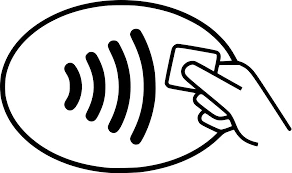
What are the benefits of using your contactless feature?
- Your contactless transactions are just as secure! Every chip, PIN and contactless transaction include a unique code, helping to protect against fraud and keep your information safe.
- To keep your card secure, contactless transactions only work within one to two inches from the point-of-sale terminal.
- It’s more sanitary, you no longer need to type in a keypad, swipe or insert your card.
- Save time every time you tap!
How to use your contactless card?
- Look for the contactless symbol on the point-of-sale terminal.
- Tap your card one to two inches in front of the point-of-sale terminal.
- Wait for a beep or green light before removing your card. You can put your card away now; you won’t need it for the remainder of your transaction.
- Follow any instructions on the screen, some merchants may ask you to sign or enter your PIN.
Please note you can only use your card as contactless if the point-of-sale terminal accepts these types of payments, you’ll find this contactless symbol on the terminal if contactless payments are accepted. - If a business does not accept contactless payments or if you receive an error, you can still insert or swipe your card to complete your transaction.
- Coming soon, all Northern Credit Union Advanced ATMs will support contactless transactions! To access Advanced ATM functions please continue to insert your Debit Card into the card reader.
Contactless cards can be requested for $5. For more information regarding these cards or businesses that accept Contactless payments, visit Visa's website: https://usa.visa.com/pay-with-visa/contactless-payments/contactless-payments.html
- How do I request a credit limit increase?
To request a credit limit increase, call 315-782-0155 and have the following information on hand:
- Current annual income
- Employment status
- How much you pay for housing each month
Want to increase your credit line but not sure if your credit score will allow it? Visit annualcreditreport.com to receive a free copy of your credit score or check your score in Online and Mobile Banking.
Get ahead of the game with debt and budget coaching
At Northern Credit Union, we’re committed to helping you live your best financial life. We know it’s easy to get overwhelmed by debt, tight budgets, and other financial setbacks, so we’re here to help. Check out our budgeting coaches today or give us a call and ask a team member for help!
Get started with our budgeting coaches today
- How do I activate my credit card?
To activate your Northern credit card call 1-888-691-8661 to get started. You will need to follow the prompts to complete activation.
To establish a PIN for your credit card call 1-888-891-2435.
- How can I apply for a credit card online?
Our credit cards were designed with you in mind – whether you want to pay down debt, build credit, or get rewarded for every purchase you make. Explore our Credit Card page to find the best fit for you!
- Platinum Rewards Visa®
- Platinum Visa®
- Secured Visa®
Once you have chosen your new credit card, apply securely through Online or Mobile Banking under "Add a Share or Loan," complete our Online Application, or call us or stop into a relationship center.
Access your money where and how you want to
We've made Online & Mobile Banking super easy for our members with features that let you move your money, pay bills, keep track of your balances, and more! This is the epitome of banking-on-the-go.
Banking on the Go Enroll Today
- What do I do if I lost my ATM/Debit/Credit Card?
If your Northern debit card has been lost or stolen, contact card services immediately at 1-800-472-3272. We will block your lost card and reissue you a new card. If your Northern credit card has been lost or stolen, contact card services immediately at 1-866-570-1238.
Prevent fraud, theft, and financial loss
Your peace of mind and account security are our top priorities! You work hard for your money, and we respect that, which is why we partner with EZShield to monitor your personal information and help prevent identity theft from happening to you.
Protect Yourself From Fraud with EZShield
- How do I dispute a credit card transaction?
To dispute a credit card transaction, file a claim by calling or texting 315-782-0155, or logging in to Online or Mobile Banking:
- In Online Banking, click the Account Services tab and select the Card Controls option.
- In Mobile Banking, choose the More option from the bottom navigation menu. Then, select Card Controls under Account Services.
Select your credit card from the menu options to open MyCardInfo and submit a dispute.
You may need to dispute a credit card transaction if:
- Someone else used your card without permission.
- There was a billing error.
- You’ve made an effort to resolve a problem with the merchant.
Prevent fraud, theft, and financial loss
Your peace of mind and account security are our top priorities! You work hard for your money, and we respect that, which is why we partner with EZShield to monitor your personal information and help prevent identity theft from happening to you.
Protect Yourself From Fraud with EZShield
Debit Card FAQs
- How do I add my card to Google Wallet?
Add your Northern Visa Debit card to Google Wallet on your Android device in a few easy steps:
- Look for the app on your phone. Google Wallet comes preloaded on several devices. If your phone doesn't have the app, simply download it from Google Play.
- Add your credit or debit card. If you already have a card in your Google account you can add it to Google Wallet by confirming a few details, or you can add a new card by:
- Tap the + sign to add your debit card.
- Position your card in the camera frame to automatically enter your card information. Enter the security code found on your card and provide additional information as required.
- For security purposes, you will need to call the number shown on your phone to verify your card.
- How do I add my card to Apple Pay/Apple Wallet?
Add your Northern Visa Debit card to Google Pay on your Apple device in a few easy steps:
- Look for the "Wallet" app on your iPhone. The Wallet app comes preloaded on Apple devices.
- Add a new card by tapping the + sign in the upper right-hand corner.
- Select "Credit or Debit Card" and then Continue
- Position your card in the camera frame to automatically enter your card information or enter the card details manually.
- Enter the security code found on your card and provide additional information as required.
- Review and agree to the Terms and Conditions.
- For security purposes, you may need to call the number shown on your phone to verify your card.
- This number shown is our after-hours debit card support number. After additional verification, they can activate your Apple Pay token and allow you to start using it! If you don't feel comfortable calling the number shown, call Northern at 315-782-0155.
- How do I advise the credit union that I will be traveling?
If you are traveling abroad or within the US, you can let us know about your travel plans within Online Banking or the Mobile Banking App, so we can make a note on your accounts and ensure you can access your funds while you’re away.
Follow the steps below:
- Log in to Online Banking or Mobile Banking.
- Hover over the Account Services tab and access Card Controls.
- If on the Mobile Banking App, click on More... to locate the Account Services Tab. Once on Card Controls, swipe to access other cards available.
- Click "manage card" on the card you will be traveling with.
- Click the Travel Notices button.
- Enter a start and end date.
- Enter a destination.
- (Optional) Click the "Add Another Destination" link to add another destination.
- (Optional) Use the drop-down to select additional cards to add to the travel notice.
- Click the Save button.
Some additional options include:
- Calling or texting 315-782-0155.
- Sending us a secure message through the Message Center in Online/Mobile Banking.
- Visiting one of our Relationship Centers.
Check out our Online & Mobile Banking User-Guide for step-by-step instructions on other convenient card management options through Digital Banking.
Get the best Credit Card for your lifestyle
Designed with you in mind, Northern Credit Union’s Visa® credit cards give you the choice of 1.5% cashback or superior rates. Our cards always offer no balance transfer fees and 0% intro APR on balances for 12 months after account opening. Apply today and take advantage of our fast approval process and in-house card printing to start using your new credit card right away!
- What do I do if my personal identification number (PIN) doesn’t work?
To reset your debit or credit card PIN, call 1-800-757-9848, and follow the prompts. To get started, you will need your card number, so make sure it's on-hand!
Prevent fraud, theft, and financial loss
Your peace of mind and account security are our top priorities! You work hard for your money, and we respect that, which is why we partner with EZShield to monitor your personal information and help you prevent identity theft from happening to you.
Protect Yourself From Fraud with EZShield
- What is a Digital Wallet?
A Digital Wallet is a digital version of your wallet on your mobile device. Depending on the phone type you have, your phone will come with the ability to add your debit and credit cards to a wallet so you can pay with your phone using Apple Pay or Samsung/Google Pay.
- I am receiving a "bad PIN" error message at the ATM; what does that mean?
If you are receiving this message, your card may be blocked or you may need to reset your PIN.
Please call or text us at 315-782-0155, use live chat on our website, or send us a secure message through Online or Mobile Banking so we can review your account with you.
Prevent fraud, theft, and financial loss
Your peace of mind and account security are our top priorities! You work hard for your money, and we respect that, which is why we partner with EZShield to monitor your personal information and help you prevent identity theft from happening to you.
Protect Yourself From Fraud with EZShield
- Can I select my own PIN for my debit card?
At the time of activation, you will be able to set your own PIN. The instructions to activate your card and set your PIN will come in the mail with your card. If you pick up your new debit card in-person, you can activate it and set your PIN in the relationship center.
Access your money where and how you want to
We've made Online & Mobile Banking super easy for our members with features that let you move your money, pay bills, keep track of your balances, and more! This is the epitome of banking-on-the-go.
Banking on the Go Enroll Today
- How much does it cost to replace my debit card?
If your card has been lost, it will cost $5 to replace. You may either pick up your new card at the relationship center closest to you or we can send it to you in first-class mail. We can overnight your card to you at an additional cost.
If your card has been lost or stolen, contact Visa Card services immediately at 1-800-472-3272.
Get the best Credit Card for your lifestyle
Designed with you in mind, Northern Credit Union’s Visa® credit cards give you the choice of 1.5% cashback or superior rates. Our cards always offer no balance transfer fees and 0% intro APR on balances for 12 months after account opening. Apply today and take advantage of our fast approval process and in-house card printing to start using your new credit card right away!
- Do you offer contactless cards?
Any new card that is issued or replaced after April 6, 2022, is a contactless card. These cards offer the latest security and save you time at checkout by allowing you to simply "tap to pay," on the screen of the terminal instead of inserting your card into the terminal. Within seconds, you'll hear a beep or see a green checkmark indicator that it worked!
Every chip, contactless, and Digital Wallet transaction are made with a unique code, which helps protect against fraud and keep your information safe.
Look for this icon at checkout to use your contactless card!

What are the benefits of using your contactless feature?
- Your contactless transactions are just as secure! Every chip, PIN and contactless transaction include a unique code, helping to protect against fraud and keep your information safe.
- To keep your card secure, contactless transactions only work within one to two inches from the point-of-sale terminal.
- It’s more sanitary, you no longer need to type in a keypad, swipe or insert your card.
- Save time every time you tap!
How to use your contactless card?
- Look for the contactless symbol on the point-of-sale terminal.
- Tap your card one to two inches in front of the point-of-sale terminal.
- Wait for a beep or green light before removing your card. You can put your card away now; you won’t need it for the remainder of your transaction.
- Follow any instructions on the screen, some merchants may ask you to sign or enter your PIN.
Please note you can only use your card as contactless if the point-of-sale terminal accepts these types of payments, you’ll find this contactless symbol on the terminal if contactless payments are accepted. - If a business does not accept contactless payments or if you receive an error, you can still insert or swipe your card to complete your transaction.
- Coming soon, all Northern Credit Union Advanced ATMs will support contactless transactions! To access Advanced ATM functions please continue to insert your Debit Card into the card reader.
Contactless cards can be requested for $5. For more information regarding these cards or businesses that accept Contactless payments, visit Visa's website: https://usa.visa.com/pay-with-visa/contactless-payments/contactless-payments.html
- How do I order an image/personalized card?
Want a debit card that’s truly yours? Make it as unique as you for only $5 per card! To personalize your card, simply:
- Click here to begin.
- Please note: The personalized debit card builder works best on the Google Chrome internet browser. If you’re using Safari on an Apple device and see an error, you may resolve it by going to Settings > Safari > (Turn Off) “Prevent Cross-Site Tracking.”
- Upload your image on the "Personalized Debit Card Builder.
- Please read the Terms and Conditions first.
- Crop, rotate, move or resize your image, if necessary.
- Profile cardholder information.
- Hit submit.
- Admire your new card approximately 10 business days!
* Currently only available for Northern debit cards.
- Click here to begin.
- Why are my debit transactions being denied so often?
There are several potential reasons your card keeps being denied. For security reasons, the specifics of your situation must be dealt with in confidence.
Please call or text us at 315-782-0155, use live chat on our website, or send us a secure message through Online or Mobile Banking to go over your transaction history.
Choose the Overdraft Protection that’s right for you
Balance a little low? Don’t worry, we’ve got you covered. We offer a variety of Overdraft Privilege options including coverage for checks, ACH payments, share-to-share transactions, and an Overdraft Line of Credit (ODLOC).
- How do I change my personal identification number (PIN) for my debit card?
At the time of activation, you will be able to set your own PIN. The instructions to activate your card and set your PIN will come in the mail with your card.
If you are an established cardholder call 1-800-757-9848 to reset your PIN. To expedite the process, please be sure to have your debit card available.
Access your money where and how you want to
We've made Online & Mobile Banking super easy for our members with features that let you move your money, pay bills, keep track of your balances, and more! This is the epitome of banking-on-the-go.
Banking on the Go Enroll Today
- How do I activate my debit card?
If you have received your card in the mail, use the instructions for debit card activation that accompanied the card. You can also call 1-800-992-3808 to get started.
If you are an established cardholder and you do not know your PIN, call 1-800-757-9848 to reset your PIN. To expedite the process, please be sure to have your debit card available.
Access your money where and how you want to
We've made Online & Mobile Banking super easy for our members with features that let you move your money, pay bills, keep track of your balances, and more! This is the epitome of banking-on-the-go.
Banking on the Go Enroll Today
- What is my debit card purchase limit?
Purchase limits may vary. If you have questions regarding your limit or need to make a larger purchase, please call or text us at 315-782-0155 and a team member would be happy to assist you.   Â
- What is my PIN for my debit card?
If you are a new cardholder, your ATM or debit card will arrive in the mail with instructions to activate it. At the time of activation, you will be able to set your own PIN.
If you’re an established cardholder and you do not know your PIN, call 1-800-757-9848 to reset it. To expedite the process, please be sure to have your debit card available.
Get the best Credit Card for your lifestyle
Designed with you in mind, Northern Credit Union’s Visa® credit cards give you the choice of 1.5% cashback or superior rates. Our cards always offer no balance transfer fees and 0% intro APR on balances for 12 months after account opening. Apply today and take advantage of our fast approval process and in-house card printing to start using your new credit card right away!
- Can I use my debit card while traveling internationally?
Yes, your debit card is accepted internationally! Please note, an International Service Assessment (ISA) fee will be assessed at the rate of 1.00% of each single currency transaction in U.S. dollars of the US Dollar amount on all foreign transactions.
Taking a trip?
If you're traveling, it's important that you let us know. We want to keep your account and hard-earned money safe and location-based security measures are meant to protect you. Travel notifications allow us to make sure your debit and/or credit card purchase isn't wrongfully declined when we see you've made a purchase outside your usual geographic location. Let us know you're traveling using Debit Card Controls and Credit Card Controls in Online or Mobile Banking.
- How can I block and unblock my debit card or credit card and set up travel notifications?
Follow the steps below:
- Log in to Online Banking or Mobile Banking.
- Click on the Account Services tabfrom the main menu.
- Click on Debit Card Controls and select your debit card.
- Under Card Details select the card you'd like to manage.
- To block your card, swipe the toggle OFF to block your card for continued protection. You will be asked if you're sure you want to turn your card off. Click yes. Your card will display as OFF.
- To set up a travel notice, click the Travel Notices button.
- Enter a start and end date.
- Enter your destination.
- Click the Save button.
Please Note: clicking on the image of your credit card will provide Credit Card Management options. Click the dropdown to click on the link provided, then select the credit card account you want to manage to go directly to MyCardInfo where you can block/unblock your card, set travel notifications, report it lost or stolen, and more.
Please refer to our Online & Mobile Banking User Guide for more information.
Prevent fraud, theft, and financial loss
Your peace of mind and account security are our top priorities! You work hard for your money, and we respect that, which is why we partner with EZShield to monitor your personal information and help you prevent identity theft from happening to you.
visit our fraut prevention center
- How do I order a new debit card?
To order a new debit card, contact a team member by:
- Sending us a secure message through the Message Center in Online/Mobile Banking to let us know how you want to card issued.
- Log into Online Banking and click the envelope icon next to the profile image, or access the Message Center under the Resources & Support tab.
- On the Mobile Banking app, select More in the bottom right-hand corner to access the Resources & Support tab.
Some additional options include:
- Calling or texting 315-782-0155
- Visiting one of our Relationship Centers to have a card printed on demand.
If your card has been lost or stolen after hours, contact Card services immediately to block your card at 1-800-472-3272.
You may either pick up your new card at the relationship center closest to you or we can send it to you in first-class mail. We can overnight your card to you at an additional cost.
Get the best Credit Card for your lifestyle
Designed with you in mind, Northern Credit Union’s Visa® credit cards give you the choice of 1.5% cashback or superior rates. Our cards always offer no balance transfer fees and 0% intro APR on balances for 12 months after account opening. Apply today and take advantage of our fast approval process and in-house card printing to start using your new credit card right away!
- Sending us a secure message through the Message Center in Online/Mobile Banking to let us know how you want to card issued.
- My debit card is being denied at the merchant, what do I do?
There can be several reasons that a card would be denied. For security reasons, the specifics of your situation must be dealt with in confidence.
Please call or text us at 315-782-0155, use live chat on our website, or send us a secure message through Online or Mobile Banking so we can review your account with you.
Choose the Overdraft Protection that’s right for you
Balance a little low? Don’t worry, we’ve got you covered. We offer a variety of Overdraft Privilege options including coverage for checks, ACH payments, share-to-share transactions, and an Overdraft Line of Credit (ODLOC).
Digital Wallets FAQs
- If I get a new phone, will my Digital Wallet information transfer over?
No, because Digital Wallets (Apple Pay, Samsung Pay, Google Pay) are specific to the device, you need to add your debit or credit card to the new phone. It will not automatically transfer from one phone to another.
- How do I add my card to Samsung Pay/Samsung Wallet?
You can push your debit card to your Digital Wallet from within the Mobile Banking app under Debit Card Controls. Login to Online or Mobile Banking and access Debit Card Controls under the Accounts Services tab, or on the bottom main menu if on the app.
You can also add your debit or credit card to your Samsung Wallet directly.
Samsung Pay is now part of Samsung Wallet. Once you've finished Samsung Wallet setup, you add your credit or debit card to it, and use it for payments anywhere you see the Samsung Pay logo. Visit the Samsung website for a step-by-step instructions on how to add your card to Samsung Wallet within their FAQ.
- Where can I use my Digital Wallet?
You can use your Digital Wallet as a payment method online and in-store. Look for the tap-to-pay icon or your Pay logo (Apple Pay, Google Pay, Samsung Pay).
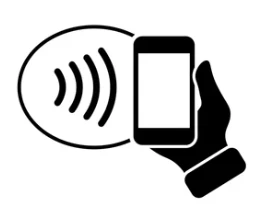
Locally to Northern Credit Union, you can use your card at the following merchants:
- Stewarts
- McDonald's
- Jreck Subs
- Price Chopper
- Dunkin Donuts
- Aldi
- Taco Bell
- Walgreen's
- Lowes
- Hannaford
- Circle K
- Sunoco
- Sliders
- Byrne Dairy
- Do you offer Digital Wallet options (Apple Pay, Google Pay, Samsung Pay)?
Yes! We off the following Digital Wallet options for your Northern Credit Union debit and credit cards:
For more information on mobile wallet, visit the Digital Wallet page of our website.
- Are Digital Wallets (Apple Pay, Google Pay, Samsung Pay) secure?
Yes, when adding a card to your Digital Wallet, a unique device account number, or token, is assigned, encrypted and securely stored in your Apple Pay, Google Pay, or Samsung Pay compatible device instead of your actual card number. When you make a purchase, the device account number, along with a transaction-specific dynamic security code is used to process your payment. Your actual debit card number is never shared with merchants or transmitted with payment.
Additionally, all transactions are monitored by Northern Credit Union's fraud detection system. Purchases made using digital wallets are protected by Zero Liability, so you won't be held responsible for promptly reported unauthorized transactions.
- Does Northern Credit Union charge anything to use Google Pay, Android Pay, Samsung Pay, or Apple Pay?
No! These services are provided at no cost to you!
- Can more than one card be added to my Digital Wallet?
Yes, absolutely! You can add both your Northern Credit Union debit and credit card to your Digital Wallet.
Use your Northern Visa Debit Card or Northern Visa Credit Card for cashback on purchases.
You can also add boarding passes for your trip, or concert tickets to your Digital Wallet! Don't forget to let us know about your travel plans if you are planning on using your debit or credit card, through online or mobile message or by contacting us.
- How do I add my card to Google Wallet?
Add your Northern Visa Debit card to Google Wallet on your Android device in a few easy steps:
- Look for the app on your phone. Google Wallet comes preloaded on several devices. If your phone doesn't have the app, simply download it from Google Play.
- Add your credit or debit card. If you already have a card in your Google account you can add it to Google Wallet by confirming a few details, or you can add a new card by:
- Tap the + sign to add your debit card.
- Position your card in the camera frame to automatically enter your card information. Enter the security code found on your card and provide additional information as required.
- For security purposes, you will need to call the number shown on your phone to verify your card.
- How do I add my card to Apple Pay/Apple Wallet?
Add your Northern Visa Debit card to Google Pay on your Apple device in a few easy steps:
- Look for the "Wallet" app on your iPhone. The Wallet app comes preloaded on Apple devices.
- Add a new card by tapping the + sign in the upper right-hand corner.
- Select "Credit or Debit Card" and then Continue
- Position your card in the camera frame to automatically enter your card information or enter the card details manually.
- Enter the security code found on your card and provide additional information as required.
- Review and agree to the Terms and Conditions.
- For security purposes, you may need to call the number shown on your phone to verify your card.
- This number shown is our after-hours debit card support number. After additional verification, they can activate your Apple Pay token and allow you to start using it! If you don't feel comfortable calling the number shown, call Northern at 315-782-0155.
- Do you offer contactless cards?
Any new card that is issued or replaced after April 6, 2022, is a contactless card. These cards offer the latest security and save you time at checkout by allowing you to simply "tap to pay," on the screen of the terminal instead of inserting your card into the terminal. Within seconds, you'll hear a beep or see a green checkmark indicator that it worked!
Every chip, contactless, and Digital Wallet transaction are made with a unique code, which helps protect against fraud and keep your information safe.
Look for this icon at checkout to use your contactless card!

What are the benefits of using your contactless feature?
- Your contactless transactions are just as secure! Every chip, PIN and contactless transaction include a unique code, helping to protect against fraud and keep your information safe.
- To keep your card secure, contactless transactions only work within one to two inches from the point-of-sale terminal.
- It’s more sanitary, you no longer need to type in a keypad, swipe or insert your card.
- Save time every time you tap!
How to use your contactless card?
- Look for the contactless symbol on the point-of-sale terminal.
- Tap your card one to two inches in front of the point-of-sale terminal.
- Wait for a beep or green light before removing your card. You can put your card away now; you won’t need it for the remainder of your transaction.
- Follow any instructions on the screen, some merchants may ask you to sign or enter your PIN.
Please note you can only use your card as contactless if the point-of-sale terminal accepts these types of payments, you’ll find this contactless symbol on the terminal if contactless payments are accepted. - If a business does not accept contactless payments or if you receive an error, you can still insert or swipe your card to complete your transaction.
- Coming soon, all Northern Credit Union Advanced ATMs will support contactless transactions! To access Advanced ATM functions please continue to insert your Debit Card into the card reader.
Contactless cards can be requested for $5. For more information regarding these cards or businesses that accept Contactless payments, visit Visa's website: https://usa.visa.com/pay-with-visa/contactless-payments/contactless-payments.html
- What is a Digital Wallet?
A Digital Wallet is a digital version of your wallet on your mobile device. Depending on the phone type you have, your phone will come with the ability to add your debit and credit cards to a wallet so you can pay with your phone using Apple Pay or Samsung/Google Pay.
Loans FAQs
- Can I make my loan payment over the phone?
Yes! Contact us at 315-782-0155 to make a payment over the phone. You can also make your loan payment with funds in a Northern Credit Union account in Online or Mobile Banking.
Please refer to our Online Banking User Guide for more information.
Pay all your bills from any device, anywhere
Bill Pay is a simple, free service that provides an easier and automatic way to pay all of your bills right from Mobile or Online Banking. You can simply set up one-time or recurring payments so you never miss a due date.
Learn about bill pay Enroll Now
- How can I pay my loan online?
Follow the steps below:
- Log in the Mobile Banking App or Online Banking.
- Click on the Transfer & Pay tab.
- If logged in from the Mobile App, click on Transfers along the bottom, or click on More... and locate the Transfer & Pay Tab, and follow the instructions below.
- Select Make a Transfer or Loan Payment.
- Select the account you would like to pay from
- Select the loan account you would like to make a payment to.
- Choose the amount of your loan payment.
- Select the date on which you would like the payment to occur.
- Use the frequency option to select how often you want to make this payment.
- Click Submit Payment once you are finished.
Please refer to our Online Banking User Guide for more information.
Pay all your bills from any device, anywhere
Bill Pay is a simple, free service that provides an easier and automatic way to pay all of your bills right from Mobile or Online Banking. You can simply set up one-time or recurring payments so you never miss a due date.
Learn about bill pay Enroll Now
- What is my loan payoff amount?
To determine your accurate loan payoff amount, please call or text us at 315-782-0155, use Live Chat on our website, or send us a Mobile or Online secure message.
Pay all your bills from any device, anywhere
Bill Pay is a simple, free service that provides an easier and automatic way to pay all of your bills right from Mobile or Online Banking. You can simply set up one-time or recurring payments so you never miss a due date.
Learn about bill pay Enroll Now
- How long does loan approval take?
We aim to make decisions on loan applications within 24 hours. Times may be delayed on holidays, weekends, and other times the credit union is closed. Once a decision has been made a team member will be in touch with you and discuss the next steps.
If you have a question about the status of your loan application, connect with us using Live Chat on our website, or call or text 315-782-0155.
Access your money where and how you want to
We've made Online & Mobile Banking super easy for our members with features that let you move your money, pay bills, keep track of your balances, and more! This is the epitome of banking-on-the-go.
Banking on the Go Enroll Today
- What insurance requirements do you have for auto loans?
We require that our members have full coverage on any vehicle in which Northern Credit Union is the lien holder. If you switch insurance, please remember to send in a new proof of insurance. If insurance lapses, you may be subject to force-placed insurance and any costs associated with it.
Submit proof of Insurance:

Scan the QR code to access the portal on your phone.
Website: https://www.myloaninsurance.com/mynorthern.
Toll Free Number: 866-337-6900
Toll Free Fax Number: 877-247-6934Mailing Address:
PO Box 924179
Fort Worth, TX 76124Email Address: mynorthern@myloaninsurance.com
Insurance options to secure your life and loved ones
If you're looking for that safety net for your life, home, car, or other personal belongings, we've got you covered. From Home and Auto Insurance to Life and Disability Protection, and options in between, Northern CU can be your go-to insurance provider.
Home & Auto Insurance Life Insurance Life Disability Insurance
- How long will it take to receive a vehicle title when a member pays their auto loan off?
Northern Credit Union does not hold titles and therefore do not issue new titles. A Lien Release will automatically be issued to the address on file 10 days after the loan payoff is reported.
Find out how much money you could save with Northern
Use our Auto Loan Comparison calculator to see how much you can save with our super low rates on Auto Loans. Simply complete our form and we’ll get back to you via your choice of phone or email to discuss the best way to maximize your savings.
Get started with our Auto Loan Calculator
- How do I apply to refinance my auto loan?
You can apply to refinance your auto loan securely through Online or Mobile Banking, or using our Online Application. Oftentimes we’re able to lower your rate, shrink your payments or shorten your term when you refinance loans from other lenders. Check out our Loan Saver calculator to see how much you can save.
Hit the road in less time and for less money with Northern Credit Union.
We offer personalized financing options for new and used vehicles with low rates and flexible terms. Get approved quickly and sign your loan documents electronically, so you can drive your new set of wheels home sooner.
Learn More Apply For Your Auto Loan
- How do I skip a loan payment?
Need some extra cash in your pocket this month? We offer a way for you to skip your loan payment, right within Online and Mobile Banking! As a valued member of Northern Credit Union with a consumer loan in good standing, you may be eligible!
Log into Online or Mobile Banking, navigate to the Account Services tab, and click Skip A Pay to check your eligibility.
- Review the Skip-A-Pay conditions.
- Click the Skip button.
- Select the account you wish to pay the Skip A Pay fee from.
- Check the box to agree to the terms and conditions.
- Click the Submit button.
- A confirmation message will be displayed.
Get ahead of the game with debt and budget coaching
At Northern Credit Union, we’re committed to helping you live your best financial life. We know it’s easy to get overwhelmed by debt, tight budgets, and other financial setbacks, so we’re here to help. Check out our budgeting coaches today or give us a call and ask a team member for help!
Get started with our budgeting coaches today
- Do I have to buy from an auto dealer?
No! We finance both private and dealership sales.
For more information on auto loans, visit the Auto Loans page of our website.
Hit the road in less time and for less money with Northern Credit Union.
We offer personalized financing options for new and used vehicles with low rates and flexible terms. Get approved quickly and sign your loan documents electronically, so you can drive your new set of wheels home sooner.
Learn More Apply For Your Auto Loan
- Can I apply for an auto loan if I have not found the car I want yet?
Yes! You can apply online for pre-approval today.
You can also learn more about Northern Credit Union's auto loan offerings on the Auto Loans page of our website.
Hit the road in less time and for less money with Northern Credit Union.
We offer personalized financing options for new and used vehicles with low rates and flexible terms. Get approved quickly and sign your loan documents electronically, so you can drive your new set of wheels home sooner.
Learn More Apply For Your Auto Loan
- If I have bad credit, can I qualify for an auto loan?
Yes! We strive to provide the financial assistance you need despite less than perfect credit history.
Hit the road in less time and for less money with Northern Credit Union.
We offer personalized financing options for new and used vehicles with low rates and flexible terms. Get approved quickly and sign your loan documents electronically, so you can drive your new set of wheels home sooner.
Learn More Apply For Your Auto Loan
- What are the current auto loan rates?
View our current Auto Loan rates on the rates page of our website.
You can also learn more about Northern Credit Union's auto loan options on the Auto Loans page of our website.
Hit the road in less time and for less money with Northern Credit Union.
We offer personalized financing options for new and used vehicles with low rates and flexible terms. Get approved quickly and sign your loan documents electronically, so you can drive your new set of wheels home sooner.
Learn More Apply For Your Auto Loan
- Do you offer construction loans?
Yes! Northern Credit Union offers construction loans at competitive rates.
For more information, visit our Construction Loan page or talk to a Home Lending Professional by calling 315-777-8910.
Step through the doors of your new home
You need a place that's your very own; a space to live your best life. Northern CU is here to help you through each step of the process with competitive mortgage rates, knowledgeable Home Lending Professionals, and a variety of options to meet your needs.
which mortgage is right for you? apply for a mortgage today
- What will happen if I am late on a loan payment?
If you are late on a loan payment for more than 10 days, you will be charged a late fee.
We want to work with you. To discuss your payment options, please contact our Credit Solutions Team by calling or texting 315-779-3120 or emailing dlcreditsolutions@mynorthern.com.
Get ahead of the game with debt and budget coaching
At Northern Credit Union, we’re committed to helping you live your best financial life. We know it’s easy to get overwhelmed by debt, tight budgets, and other financial setbacks, so we’re here to help. Check out our budgeting coaches today or give us a call and ask a team member for help!
Get started with our budgeting coaches today
- What is QuickCash?
QuickCash* is a small-dollar, short-term loan designed with you in mind!
At Northern Credit Union we strive to provide convenient banking solutions to help you live your best financial life. QuickCash is your escape from payday lending and your round-the-clock financial lifeline. You’ll have access to hassle-free financial support any day at any time with no credit checks and a fast approval process.
We’re committed to helping you navigate life’s curveballs or when you find that perfect deal you just can’t pass up with a reliable, transparent, affordable lending solution!With QuickCash you can:- Apply online 24/7, with funds deposited within 24 hours of your approval. 2
- Borrow up to $800 and take 3 months to pay it back! 3
- No need to worry about a credit review, there’s no credit report review for a QuickCash loan. 3
- Save big on interest and fees!
- Easy online access and management.
Apply for your QuickCash loan or log in to your existing QuickCash account at the link below!
Visit here: https://www.mynorthern.com/quickcash/ - Do you offer debt consolidation loans?
At Northern Credit Union, we work with you to find the debt consolidation solution that best fits your goals. These solutions include the option to refinance certain loans, balance transfer to a Northern Credit Union credit card, personal loans, or Home Equity loans.
Oftentimes we’re able to lower your rate, shrink your payments or shorten your term when you refinance loans from other lenders. Check out our loan calculators to see how much you can save.
To get started, complete an online application or call 315-779-3135.
Get the financing you need with Northern Credit Union
We know life is full of times when you may need to borrow money. Let us help you fund your next big adventure, first home, a fresh set of wheels, or next life milestone. We’re here for you, during each of these moments, to meet all your borrowing needs at competitive rates and terms!
View Current Rates Explore Loan Bank With Us
- How do I make a loan payment in Online & Mobile Banking?
To make a loan payment from Online & Mobile Banking, follow the steps below:
- Log into the Mobile Banking App or Online Banking.
- Hover over Transfer & Pay and click on Make a Transfer or Loan Payment.
- From the Mobile Banking App, Click on Move Money along the bottom. Or click on the More... in the bottom corner, & follow the steps above.
- From the Make a Transfer tab, select the account you would like to pay from.
- Select the loan account you would like to make a payment to.
- Choose the amount of your loan payment.
- Select the date on which you would like the payment to occur.
- Use the frequency option to select how often you want to make this payment.
- Click Review Transfer and select the Submit Transfer button.
Please refer to our Online Banking User Guide for more information.
Pay all your bills from any device, anywhere
Bill Pay is a simple, free service that provides an easier and automatic way to pay all of your bills right from Mobile or Online Banking. You can simply set up one-time or recurring payments so you never miss a due date.
Learn about bill pay Enroll Now
- Can I skip one of my loan payments?
Yes, you can skip a qualifying loan payment. Please call or text 1 315-779-3120 or live chat for assistance with a Skip A Pay.
Get ahead of the game with debt and budget coaching
At Northern Credit Union, we’re committed to helping you live your best financial life. We know it’s easy to get overwhelmed by debt, tight budgets, and other financial setbacks, so we’re here to help. Check out our budgeting coaches today or give us a call and ask a team member for help!
Get started with our budgeting coaches today
- How can I qualify for a loan?
Loan qualifications differ depending on which loan you are applying for. The best way to find out if you qualify for a loan is to apply! You can start the application process through Online or Mobile Banking under "Add a Share or Loan," through our online portal or by connecting with a Lender by calling 315-782-0155.
Your credit score plays a role in whether or not you qualify for a loan. You can check your own credit score for free once annually by visiting www.annualcreditreport.com.
Get the financing you need with Northern Credit Union
We know life is full of times when you may need to borrow money. Let us help you fund your next big adventure, first home, a fresh set of wheels, or next life milestone. We’re here for you, during each of these moments, to meet all your borrowing needs at competitive rates and terms!
View Current Rates Explore Loan Bank With Us
- How do I check the status of a loan application?
To check the status of a loan application, call or text 315-782-0155 or use live chat on our website.
Find out how much money you could save with Northern
Use our Auto Loan Comparison calculator to see how much you can save with our super low rates on Auto Loans. Simply complete our form and we’ll get back to you via your choice of phone or email to discuss the best way to maximize your savings.
Get started with our Auto Loan Calculator
Mobile Banking FAQs
- Will using "My Credit Score" in Online & Mobile Banking pull or affect my credit?
No. Checking your credit in Online and Mobile Banking using My Credit Score is a "soft inquiry", which does not affect your credit score. Lenders use 'hard inquiries' to make decisions when you apply for loans.
- How do I sign up for Mobile Banking?
To register for Mobile Banking, simply download the Northern/Countryside Mobile Banking app to your phone App Store and follow the automatic, on-screen prompts to log in for the first time!

Access your money where and how you want to
We've made Online & Mobile Banking super easy for our members with features that let you move your money, pay bills, keep track of your balances, and more! This is the epitome of banking-on-the-go.
Banking on the Go Enroll Today
- How can I set up overdraft coverage?
Follow the steps below:
- Log in to Online Banking.
- Click on the Account Services tab.
- Select Overdraft Privilege.
- Select whether you need to add or remove coverage.
- Check the box next to “I Agree.”
- Click the Save button.
Manage your accounts from your smartphone
Mobile Banking is your solution for any time, anywhere access. You can deposit checks, monitor your balances, find shared branch locations, transfer money, and more!

Visit our Mobile Banking page for more information.
- How can I view my account history and sort my transactions?
Follow the steps below:
- Log into the Mobile Banking App or Online Banking.
- Select an account share from the main Dashboard or list of Accounts.
- Your transactions are listed under each account with their unique date, description, credit or debit amount, and the balance of your account as a result of that transaction.
- To categorize a transaction, click Add a category.
- You can search for a category in the search bar, or scroll through the category options to choose one.
- To sort your transactions, open the Sort By menu.
- Select the option you would like your transaction to be sorted by.
- If you would like to filter your search results, click the filter icon.
- Once you have narrowed down your search, click the Search button.
Please refer to our Online & Mobile Banking User Guide for more information.
Manage your accounts from your smartphone
Mobile Banking is your solution for any time, anywhere access. You can deposit checks, monitor your balances, find shared branch locations, transfer money, and more!

Visit our Mobile Banking page for more information.
- How do I change my phone number eAlerts?
Follow the steps below:
- Log in the Mobile Banking App or Online Banking.
- Click the Account Services tab.
- If logged in from the Mobile Banking App, click on your profile icon and click on Settings, or click on More... and click on the Account Services tab to locate the settings.
- Select Settings.
- Click the Contact tab.
- Click the pencil icon to edit a stored phone number. Options include home, work, and mobile phone numbers.
- Edit the phone number.
- Check “I Would Like To Receive SMS Text Messages To This Number” to receive text messages (Standard text messaging rates apply). You will need to enter a confirmation code.
Please refer to our Online Banking User Guide for more information. You can also call or text 315-782-0155 or visit your local relationship center. Updating your member profile will also update your alerts.
- How do I nickname my accounts?
Follow the steps below:
- Log into Online or Mobile Banking.
- If logged in from Online Banking, click on your account from your list of accounts and click on the pencil icon to edit the name or follow the instructions below.
- Click Account Services
- Or click the Profile icon and click on the Settings gear.
- If logging in from the Mobile Banking app, click on More... to locate the Account Services tab.
- Click the Settings.
- Click Accounts tab.
- Click on the pencil icon next to the account name.
- Type the new name into the Nickname field.
- Click Save once you are finished.
For more information, check out our Online Banking User Guide.
Manage your accounts from your smartphone
Mobile Banking is your solution for any time, anywhere access. You can deposit checks, monitor your balances, find shared branch locations, transfer money, and more!

Visit our Mobile Banking page for more information.
- Log into Online or Mobile Banking.
- How do I make a loan payment in Online & Mobile Banking?
To make a loan payment from Online & Mobile Banking, follow the steps below:
- Log into the Mobile Banking App or Online Banking.
- Hover over Transfer & Pay and click on Make a Transfer or Loan Payment.
- From the Mobile Banking App, Click on Move Money along the bottom. Or click on the More... in the bottom corner, & follow the steps above.
- From the Make a Transfer tab, select the account you would like to pay from.
- Select the loan account you would like to make a payment to.
- Choose the amount of your loan payment.
- Select the date on which you would like the payment to occur.
- Use the frequency option to select how often you want to make this payment.
- Click Review Transfer and select the Submit Transfer button.
Please refer to our Online Banking User Guide for more information.
Pay all your bills from any device, anywhere
Bill Pay is a simple, free service that provides an easier and automatic way to pay all of your bills right from Mobile or Online Banking. You can simply set up one-time or recurring payments so you never miss a due date.
Learn about bill pay Enroll Now
- How do I skip a loan payment?
Need some extra cash in your pocket this month? We offer a way for you to skip your loan payment, right within Online and Mobile Banking! As a valued member of Northern Credit Union with a consumer loan in good standing, you may be eligible!
Log into Online or Mobile Banking, navigate to the Account Services tab, and click Skip A Pay to check your eligibility.
- Review the Skip-A-Pay conditions.
- Click the Skip button.
- Select the account you wish to pay the Skip A Pay fee from.
- Check the box to agree to the terms and conditions.
- Click the Submit button.
- A confirmation message will be displayed.
Get ahead of the game with debt and budget coaching
At Northern Credit Union, we’re committed to helping you live your best financial life. We know it’s easy to get overwhelmed by debt, tight budgets, and other financial setbacks, so we’re here to help. Check out our budgeting coaches today or give us a call and ask a team member for help!
Get started with our budgeting coaches today
- How can I pay my loan online?
Follow the steps below:
- Log in the Mobile Banking App or Online Banking.
- Click on the Transfer & Pay tab.
- If logged in from the Mobile App, click on Transfers along the bottom, or click on More... and locate the Transfer & Pay Tab, and follow the instructions below.
- Select Make a Transfer or Loan Payment.
- Select the account you would like to pay from
- Select the loan account you would like to make a payment to.
- Choose the amount of your loan payment.
- Select the date on which you would like the payment to occur.
- Use the frequency option to select how often you want to make this payment.
- Click Submit Payment once you are finished.
Please refer to our Online Banking User Guide for more information.
Pay all your bills from any device, anywhere
Bill Pay is a simple, free service that provides an easier and automatic way to pay all of your bills right from Mobile or Online Banking. You can simply set up one-time or recurring payments so you never miss a due date.
Learn about bill pay Enroll Now
- How can I send money to friends and family?
Sending money to friends and family with Person-to-Person Payments (P2P) is easy and can be done with the security and convenience of Online and Mobile Banking. Follow the steps below:
- Log in to Online or Mobile Banking.
- Click the Transfer & Pay tab and select Pay a Person.
- If you're using the Mobile Banking, select Move Money from the bottom navigation menu and tap Pay a Person.
- Click the menu dot icon and select “Manage Recipients.”
- Click the “+ Add New Contact” link.
- Enter the contact’s name.
- Enter and confirm the contact’s email address or phone number.
- Click the Add contact button.
- Once you've added your contact, click the Pay a Person tab.
- Select an account to transfer from.
- Select a recipient.
- Enter the amount to send.
- Enter a date to send the money on.
- (Optional) Enter a personal message.
- Enter a question only the recipient can answer.
- Enter the answer that you expect from the recipient.
- Click the Continue button once you are finished.
Please refer to our Online Banking User Guide for more information.
Manage your accounts from your smartphone
Mobile Banking is your solution for any time, anywhere access. You can deposit checks, monitor your balances, find shared branch locations, transfer money, and more!

Visit our Mobile Banking page for more information.
- How can I find my account number and routing number in Online & Mobile Banking?
To find Northern's routing number, follow the steps below:
- Log into the Mobile Banking App or Online Banking.
- Scroll down to the bottom of your online banking screen. The number will be listed on the right side of the page footer.
- On the Mobile Banking App, click on More... and scroll all the way to the bottom of the menu options.
To find your account number, follow the steps below:
- In Online & Mobile Banking, using your eStatements.
- Locate these under the Statements & Documents, under the Accounts tab.
- On the Mobile Banking app, click on More.. to access the Accounts tab.
- Your account number is located on your monthly eStatement in the top left corner.
The MICR Account Number should be used when ordering checks or setting up payments directly from your checking account.
Please refer to our Online & Mobile Banking User Guide for more information.
Pay all your bills from any device, anywhere
Bill Pay is a simple, free service that provides an easier and automatic way to pay all of your bills right from Mobile or Online Banking. You can simply set up one-time or recurring payments so you never miss a due date.
Learn about bill pay Enroll Now
- How can I block and unblock my debit card or credit card and set up travel notifications?
Follow the steps below:
- Log in to Online Banking or Mobile Banking.
- Click on the Account Services tabfrom the main menu.
- Click on Debit Card Controls and select your debit card.
- Under Card Details select the card you'd like to manage.
- To block your card, swipe the toggle OFF to block your card for continued protection. You will be asked if you're sure you want to turn your card off. Click yes. Your card will display as OFF.
- To set up a travel notice, click the Travel Notices button.
- Enter a start and end date.
- Enter your destination.
- Click the Save button.
Please Note: clicking on the image of your credit card will provide Credit Card Management options. Click the dropdown to click on the link provided, then select the credit card account you want to manage to go directly to MyCardInfo where you can block/unblock your card, set travel notifications, report it lost or stolen, and more.
Please refer to our Online & Mobile Banking User Guide for more information.
Prevent fraud, theft, and financial loss
Your peace of mind and account security are our top priorities! You work hard for your money, and we respect that, which is why we partner with EZShield to monitor your personal information and help you prevent identity theft from happening to you.
visit our fraut prevention center
- What do I do if I have been locked out of my Mobile Banking?
If you happen to lock yourself out due to invalid password attempts, you can easily re-establish a new one from the Northern Credit Union Home page--no need to call us!
Visit the Online Banking login page or the Mobile Banking login screen:
- Online Banking:
- Click the "Forgot Password?" link
- Enter the required information to verify your identity.
- You will then receive a Verification Code.
- Enter the code upon receipt and create a new password.
- Mobile App:
- Tap the "Forgot Password?" link.
- Enter the required information to verify your identity.
- You will then receive a Verification Code.
- Enter the code upon receipt and create a new password.
Please refer to our Online & Mobile Banking User Guide for more information.
If you are not locked out, but are experiencing another account restriction or error. Please contact us by phone or text at 315-782-0155.
Prevent fraud, theft, and financial loss
Your peace of mind and account security are our top priorities! You work hard for your money, and we respect that, which is why we partner with EZShield to monitor your personal information and help you prevent identity theft from happening to you.
Protect Yourself From Fraud with EZShield
- Online Banking:
- What is my account number?
Your account or member number can be located in a few different places:
- In Online & Mobile Banking, using your eStatements.
- Locate these under the Statements & Documents, under the Accounts tab.
- On the Mobile Banking app, click on More.. to access the Accounts tab.
- Your account number is located on you eStatement in the top left corner.
- Locate these under the Statements & Documents, under the Accounts tab.
- On your monthly statements in the top left corner.
Please refer to our Online Banking User Guide for more information.
Access your money where and how you want to
We've made Online & Mobile Banking super easy for our members with features that let you move your money, pay bills, keep track of your balances, and more! This is the epitome of banking-on-the-go.
Banking on the Go Enroll Today
- In Online & Mobile Banking, using your eStatements.
- How long will a P2P payment last if the recipient has not accepted it?
If you send a P2P payment through Bill Pay, the recipient has 10 days to answer the security question correctly and receive the payment by entering their account and routing information. After 5 days, they will receive a reminder notification about the payment.
- Information About Online & Mobile Banking
Our Online and Mobile Banking experience is designed with your needs in mind and provides you access to a user-friendly way to manage your finances, monitor your credit score, and more!
Learn about the features of Online & Mobile Banking.
Need help navigating the system? Read our User Guides for step-by-step instructions or ask below for answers to your questions and checkout our YouTube channel for How-To videos for more information!
Online Banking User Guide (Personal)
Have a business account? Learn more about the features for business members here!
- Do I need to update my Mobile Banking app?
Yes, frequent updates to the Mobile Banking app may be required, just as your Apple and Android-based device receives regular software updates for it's operating system.
In order to provide a better and more secure digital banking experience to our users, we support the 2 most current versions of supporting browsers and operating systems for your mobile device.
- If you have automatic app updates on your mobile device, you may receive any app updates when they are available and your device is connected to it's charging station and internet.
- If you are manually installing new updates to the mobile app, search for the Northern Credit Union/Countryside mobile app from the Apple App Store or from Google Play for Android phones to check for updates or uninstall the current app version you have and download as new from the app store.

Visit our Mobile Banking page for more information.
- How do I add a payee in Bill Pay?
Follow the steps below:
- Log in to Online or Mobile Banking.
- Click on the Transfer & Pay tab and select Bill Pay.
- If you're using Mobile Banking, select Bill Pay from the bottom navigation menu.
- Click the Manage Payees tab.
- Click the “Add Payee” link.
- Click on one of the preloaded payees, or click the “click here to create a Payee manually” link to create a new payee.
- Fill in the payee information and click "Add Payee".
Please refer to the "Bill Pay" section of our Online Banking User Guide for more information.
Manage your accounts from your smartphone
Mobile Banking is your solution for anytime, anywhere access. You can deposit checks, monitor your balances, find shared branch locations, transfer money, and more!

Visit our Mobile Banking page for more information.
- How do I enroll in eBills?
Bill Pay allows you to pay your monthly bills including major credit card companies, automotive finance companies, utility companies, and more! When you enroll in an eBill with one of your payees, your monthly electronic statement is sent to Bill Pay for you to easily review and schedule your payment.
Follow the steps below:
- Log in the Mobile Banking app or Online Banking.
- Click on the Transfer & Pay tab and select Bill Pay.
- Click the Manage Payees tab.
- Click on the Payee you want to enroll in eBills. Please Note: Only electronic payees are eligible for eBills, and not all payees participate.
- Click the “Enroll in E-Bills” link.
- Click the Get Started button.
- Enter your username and password for the biller’s website and click the Submit button.
Please refer to our Online & Mobile Banking User Guide for more information.
Manage your accounts from your smartphone
Mobile Banking is your solution for anytime, anywhere access. You can deposit checks, monitor your balances, find shared branch locations, transfer money, and more!

Visit our Mobile Banking page for more information.
- How can I check my available balance through the mobile app?
To check your account balance through the mobile app, simply login to the Mobile Banking app. A list of your accounts and the available balance for each will be visible.
Choose the Overdraft Protection that’s right for you
Balance a little low? Don’t worry, we’ve got you covered. We offer a variety of Overdraft Privilege options including coverage for checks, ACH payments, share-to-share transactions, and an Overdraft Line of Credit (ODLOC).
- How do I make a Mobile Deposit?
Once you have enrolled in Mobile Banking, you can deposit a check through our mobile app by:
- Log in to the Mobile Banking App.
- Select Mobile Deposit from the bottom navigation menu.
- Select an account.
- Enter the dollar amount of the check.
- Sign the back of the check and write “Mobile Deposit to Northern CU.” Place the check on a flat, well-lit surface, then tap the Check Front and Check Back buttons to take an image of the front and back of the check.
- Tap the Deposit Check button when you are finished
Please refer to our Online & Mobile Banking User Guide for more information.
Please note: Any checks deposited through Mobile Deposit are subject to the same Funds Availability Policy as checks deposited at one of our relationship centers. If you would like the funds of your Mobile Deposit released sooner, text 315-782-0155 during business hours, and a team member would be happy to review.
- How long should I keep the paper check after completing a Mobile Deposit?
Please keep the paper check for 60 days after you have deposited it. Once 60 days have passed and you have received confirmation that the deposited funds have been applied to your account correctly, destroy the check or mark it “VOID.”
For more information on Mobile Deposit, see our Mobile Deposit page.
Get ahead of the game with debt and budget coaching
At Northern Credit Union, we’re committed to helping you live your best financial life. We know it’s easy to get overwhelmed by debt, tight budgets, and other financial setbacks, so we’re here to help. Check out our budgeting coaches today or give us a call and ask a team member for help!
Get started with our budgeting coaches today
- How do I add a new device to Mobile Banking?
To add a new device to Mobile Banking, simply download the app to the device you wish to use. You can then sign in using your username and password.
Note, you will need to reestablish any biometric authentication (fingerprint or face ID authentication) you have set up when downloading the app to a new device.

Deposit checks in a snap(shot) from your phone
We love seeing you in person! But let's be real, you're busy, and saving a trip to the relationship center can be a game-changer when you’re 'on-the-go.' That’s why we give you the freedom to deposit checks anytime and anywhere you want with Mobile Deposit on your smartphone.
Learn More About Mobile Deposit
- Which accounts can be viewed with the Mobile Banking app?
Any account opened with Northern Credit Union that you are primary or joint on may be viewed in Mobile Banking.
Please note, you will have access to the same information that is typically found through your Online Banking account.
Manage your accounts from your smartphone
Mobile Banking is your solution for anytime, anywhere access. You can deposit checks, monitor your balances, find shared branch locations, transfer money, and more!

Visit our Mobile Banking page for more information.
- How do I view my Mobile Deposit history?
Follow the steps below:
- Log in to the Mobile Banking app.
- Click on the Deposit Checks widget.
- Click on View Activity.
- You will be able to see your pending and past mobile deposit activity.
Get ahead of the game with debt and budget coaching
At Northern Credit Union, we’re committed to helping you live your best financial life. We know it’s easy to get overwhelmed by debt, tight budgets, and other financial setbacks, so we’re here to help. Check out our budgeting coaches today or give us a call and ask a team member for help!
Get started with our budgeting coaches today
- How do I set up one-time or automatic bill payments?
Follow the steps below:
- Log in to Online or Mobile Banking.
- Click Transfer & Pay, then select Bill Pay.
- If you are using Mobile Banking, tap Bill Pay from the bottom navigation menu.
- Use the drop-down to select an account to pay from.
- Use the drop-down to select a payee.
- If you have not added your payee, go to page 65 of our Online Banking User Guide.
- Enter an amount.
- Use the drop-down to select a frequency and select a start date.
- Select when a payment should end.
- Enter a memo (optional)
- Click the Next button and click the Confirm and Submit button.
Please refer to Online Banking User Guide for more information.
Manage your accounts from your smartphone
Mobile Banking is your solution for any time, anywhere access. You can deposit checks, monitor your balances, find shared branch locations, transfer money, and more!

Visit our Mobile Banking page for more information.
- Why did I get a login error message on my mobile app?
There are several potential reasons you may have received an error message on your mobile app. For assistance, please call or text 315-782-0155, use live chat on our website, or visit your local relationship center. To call toll-free, dial 866-310-6328.
Please note: You may be able to access Online Banking, even if you’re locked out of the mobile app. If you need immediate access to your account, we recommend you try this until your mobile app is unlocked.
Prevent fraud, theft, and financial loss
Your peace of mind and account security are our top priorities! You work hard for your money, and we respect that, which is why we partner with EZShield to monitor your personal information and help you prevent identity theft from happening to you.
Protect Yourself From Fraud with EZShield
- How do I make an internal transfer through Online & Mobile Banking?
Follow the steps below:
- Log in the Mobile Banking App or Online Banking.
- Click on the Transfer & Pay tab.
- Select Make a Transfer or Loan Payment.
- If on the Mobile Banking App, click on the "Make a Transfer" box.
- Select the account you would like to transfer from/to.
- Enter the transfer amount.
- Click Submit Transfer.
Please refer to our Online & Mobile Banking User Guide for more information.
Pay all your bills from any device, anywhere
Bill Pay is a simple, free service that provides an easier and automatic way to pay all of your bills right from Mobile or Online Banking. You can simply set up one-time or recurring payments so you never miss a due date.
Learn about bill pay Enroll Now
- How do I set up eAlerts?
Follow the steps below:
- Log in to Online or Mobile Banking.
- Click the Accounts tab and select eAlerts.
- If you are using the Mobile Banking app, tap More from the bottom navigation and select eAlerts under Accounts Services.
- Select an alert type and the account you want alerts on.
- Use the toggle to turn alerts on and off.
- Select your preferred delivery method(s).
- To enable additional delivery methods for alerts, such as text, first verify your contact information within the contact section of the Settings and enable SMS for text alerts.
- Push Notifications are only available if you have downloaded the Northern CU Mobile Banking App and have logged in successfully with your mobile device.
Refer to the eAlerts section of our Online Banking User Guide for more information on setting up eAlerts and other delivery methods.
Manage your accounts from your smartphone
Mobile Banking is your solution for any time, anywhere access. You can deposit checks, monitor your balances, find shared branch locations, transfer money, and more!

Visit our Mobile Banking page for more information.
- How can I send a secure message?
Follow the steps below:
- Log in to Online or Mobile Banking.
- Click Resources & Support. If you are using the mobile app, this option will be available from the More menu.
- Select Message Center.
- Click the Compose button.
- Use the drop-down to select a message subject. Relevant subjects help us respond to your inquiry as quickly as possible.
- Use the drop-down to select an account. If your inquiry references a specific account, please select the account from the list.
- Type your message into the message field. These messages are secure so it’s okay to enter account or transaction information.
- Click the “Attach Files” link to choose a file from your local device. The system only accepts files (you may attach three files) that are less than 5 mb in size.
- Click the Send Message button when you are finished.
- If you would like to reply to a message, click on a message:
- Add a new message to the thread and attach new attachments to the thread.
- Click the Send button to save any new attachments and send your reply.
Please refer to our Online & Mobile Banking User Guide for more information.
- What types of checks are NOT allowed to be deposited using Mobile Deposit?
The following checks may be declined for Mobile Deposit:
- Checks that aren’t endorsed with “Mobile Deposit to Northern CU”
- Checks that have been altered beyond a signature endorsement
- Checks partially filled out
- Checks that don't photograph clearly and are illegible on the phone screen
- Checks that state "void after 90 days" and are dated more than 90 days ago
- Checks that are dated more than 6 months ago
- Checks that are post dated and include a date in the future
For more information, call or text 315-782-0155, use live chat on our website, or visit a relationship center today!
Having trouble depositing your check through Mobile Deposit?
Watch our How-To video guide for help!
Still having trouble? Use the live chat on our website, call or text 315-782-0155, or visit one of our relationship centers for assistance.
- What is the daily Mobile Deposit limit?
The daily Mobile Deposit limit is $10,000.
If you’re making a large deposit, please refer to our Funds Availability Policy in our Membership Agreement and Disclosures for information on when the funds will become available in your account.
Trying to deposit a check beyond the limit?
Please visit one of our relationship centers and a team member will be happy to assist you with your deposit.
- Where can I find my electronic statement (eStatement) and tax documents?
Follow the steps below:
- Log in to Online or Mobile Banking.
- Select the Accounts tab and choose Statements & Documents.
- If you are using Mobile Banking, tap the More option from the bottom navigation. Select Statements & Documents under Accounts.
- Click on the Statements tab or Tax Forms tab to view the documents.
Note, if you haven't enrolled in eStatements yet, you will need to follow the prompts to do that before accessing your eStatements.
Please refer to our Online & Mobile Banking User Guide for more information.
Access your statements through your smartphone
Mobile Banking is your solution for any time, anywhere access. You can deposit checks, monitor your balances, find shared branch locations, transfer money, and more!

Visit our Mobile Banking page for more information.
- How do I change my Online & Mobile Banking password?
Follow the steps below:
- Log in to Online or Mobile Banking.
- Click the Accounts tab and select Settings.
- If you're using Mobile Banking, select the More option from the bottom navigation and tap Settings under Accounts.
- Click the Security tab.
- Click the pencil icon next to your password.
- Enter your current password.
- Enter and confirm a new password.
- Click the Save Changes button when you are finished making changes.
- Choose the contact method that allows Northern Credit Union to reach you immediately with a verification code and click the Send Code button.
- Enter the verification code and click the Verify button.
Please refer to our Online & Mobile Banking User Guide for more information.
Prevent fraud, theft, and financial loss
Your peace of mind and account security are our top priorities! You work hard for your money, and we respect that, which is why we partner with EZShield to monitor your personal information and help you prevent identity theft from happening to you.
Protect Yourself From Fraud with EZShield
- Is there a hold on the funds when I deposit a check through Mobile Deposit?
We strive to make funds from your check deposits available to you on the same business day we receive your deposit. However, depending on the amount you try to deposit, fund availability time may vary.
If your funds are being held for longer than one full business day, refer to our Funds Availability Policy in our Membership Agreement and Disclosures to understand why.
If you have any questions about the availability of your Mobile Deposit or would like us to release the hold on your check sooner, send us a mobile message, call or text 315-782-0155, or use live chat on our website.
Having trouble depositing your check through Mobile Deposit?
Watch our How-To video guide for help!
Still having trouble? Use the live chat on our website, call or text 315-782-0155, or visit one of our relationship centers for assistance.
- How do I change my name, address, or any other contact information?
Follow the steps below:
- Log in to Online or Mobile Banking.
- Click the Account Services tab and select Settings.
- If you are using Mobile Banking, tap the More option from the bottom navigation. Select Settings under Account Services.
- Click the Contact tab.
- Click the pencil icon next to the section you would like to update.
- “Preferred” indicates the number is the primary number/email used for communications from the Credit Union.
You may also change your contact information through:
- By Phone - Give us a call at 315-782-0155.
- In-Person - You can always stop by a relationship center and meet with us personally. Please bring a photo ID, such as a Driver's License for identification.
Note, making this address change will trigger a physical letter to be mailed to you at your old and new address confirming this change. For privacy, we recommend ensuring you notify the post office so your mail is forwarded to your new address.
Access your money where and how you want to
We've made Online & Mobile Banking super easy for our members with features that let you move your money, pay bills, keep track of your balances, and more! This is the epitome of banking-on-the-go.
Banking on the Go Enroll Today
- How do I deposit checks with Mobile Deposit?
Follow the steps below:
- Log in to the Mobile Banking App.
- Tap Mobile Deposit from the bottom navigation menu.
- Select the account you want to deposit the check to.
- Enter the dollar amount of the check.
- Sign the back of the check and write “Mobile Deposit to Northern CU.” Place the check on a flat, well-lit surface, then tap the Check Front and Check Back buttons to take an image of the front and back of the check.
- Tap the Deposit Check button when you are finished
Please refer to our Online & Mobile Banking User Guide for more information.
Please note: Any checks deposited through Mobile Deposit are subject to the same Funds Availability Policy as checks deposited at one of our relationship centers. If you would like the funds of your Mobile Deposit released sooner, text 315-782-0155 during business hours, and a team member would be happy to review.
Also, any checks not properly endorsed are subject to return pending proper endorsement.
Manage your accounts from your smartphone
Mobile Banking is your solution for any time, anywhere access. You can deposit checks, monitor your balances, find shared branch locations, transfer money, and more!

Visit our Mobile Banking page for more information.
Mortgage Loans FAQs
- What documents might I need for a mortgage application?
Docs Needed for Mortgage Application
- 30 days of recent paystubs
- Last 2 years' W2s
- Last 2 years' signed full federal tax returns
- Funds for appraisal fee
- Income award letters (disability, pension, SSI, child/spousal support, etc.), if applicable
- Signed Notice of Intent to Proceed
Purchases
- Purchase contract
- Last 2 months of official bank statements
- Last 2 months of retirement statements, 401K, stocks, etc., if applicable
Refinances
- Abstract of title
- Current mortgage statement
- Current home insurance information
- Current creditor statements, if applicable
Please send documents to dlhomelending@mynorthern.com
- What is a Mortgage Loan?
A mortgage is a loan to finance the purchase of your home. When you close on a mortgage, your home becomes collateral for the loan. You will be required to sign a legal contract stating that you promise to pay the debt, including interest and other costs, typically over the course of 15 to 30 years.
Step through the doors of your new home
You need a place that's your very own; a space to live your best life. We're here to help you through each step of the process with competitive mortgage rates, knowledgeable Home Lending Professionals, and a variety of options to meet your needs.
which mortgage is right for you? apply for a mortgage today
- What is an escrow account?
An escrow account is established as a convenient way to manage property taxes and insurance for your home. Sometimes referred to as an "impound account," escrow accounts allow you to make one monthly payment, instead of paying individual bills when they are due.
A portion of your monthly mortgage payment goes directly to your mortgage (principal and interest) and the remainder is allocated to your escrow account to cover property taxes and insurance. When the individual bills are due, your lender will pay them with funds from your escrow account.
Step through the doors of your new home
You need a place that's your very own; a space to live your best life. Northern CU is here to help you through each step of the process with competitive mortgage rates, knowledgeable Home Lending Professionals, and a variety of options to meet your needs.
which mortgage is right for you? apply for a mortgage today
- Can I be notified when mortgage/refinance rates are updated?
Unfortunately, we do not offer a service to notify you when rates have changed. See how much you can save with our Mortgage Calculator or connect with one of our Home Lending Professionals, we're happy to help.
Step through the doors of your new home
You need a place that's your very own; a space to live your best life. Northern is here to help you through each step of the process with competitive mortgage rates, knowledgeable Home Lending Professionals, and a variety of options to meet your needs.
which mortgage is right for you? apply for a mortgage today
- Why should I consider getting pre-approved before buying a home?
Getting pre-approved before buying a home provides you with the price range that works best with your budget. Pre-approval also makes you a more attractive applicant, as the seller knows your financing has already been approved.
Step through the doors of your new home
You need a place that's your very own; a space to live your best life. Northern is here to help you through each step of the process with competitive mortgage rates, knowledgeable Home Lending Professionals, and a variety of options to meet your needs.
which mortgage is right for you? apply for a mortgage today
- How much will it cost me to refinance my first mortgage?
To calculate the cost of refinancing your first mortgage, connect with one of our Home Lending Professionals for professional assistance. Often, we’re able to lower your rate, shrink your payments or shorten your term when you refinance loans from other lenders.
Step through the doors of your new home
You need a place that's your very own; a space to live your best life. Northern is here to help you through each step of the process with competitive mortgage rates, knowledgeable Home Lending Professionals, and a variety of options to meet your needs.
which mortgage is right for you? apply for a mortgage today
- Do you offer VA, or USDA loans in NY?
Yes! We are proud to offer all of these options. Visit each loan page to learn more.
- VA Loans: With a VA Loan from Northern, you get more than financing for a great home; you get the respect you deserve for serving our nation. Learn more about this loan option here.
- USDA: Looking to buy a home outside of Town or City limits, but don’t have much for a down payment? See if you’re eligible for this no down payment option! Learn more here.
If you have additional questions about these loan types, speak with one of our Home Lending Professionals.
Step through the doors of your new home
You need a place that's your very own; a space to live your best life. Northern is here to help you through each step of the process with competitive mortgage rates, knowledgeable Home Lending Professionals, and a variety of options to meet your needs.
which mortgage is right for you? apply for a mortgage today
- Do you have any deals for first time home buyers?
Yes! Some of our mortgage options include Fixed Rate, Adjustable Rate, USDA, New Construction, and No Closing Costs to help make your dream of homeownership come true. Visit our mortgage page for more information.
Start an application with one of our lenders, or call 315-782-0155 to find the mortgage option that fits your lifestyle!
Step through the doors of your new home
You need a place that's your very own; a space to live your best life. Northern is here to help you through each step of the process with competitive mortgage rates, knowledgeable Home Lending Professionals, and a variety of options to meet your needs.
which mortgage is right for you? apply for a mortgage today
- Do you have a list of foreclosed homes?
To inquire about Northern-owned properties, please call us at 315.782.0155.
For more information on purchasing a home and all of Northern Credit Union's great options, visit our Mortgage page or call and speak with one of our Home Lending Professionals.
Step through the doors of your new home
You need a place that's your very own; a space to live your best life. Northern is here to help you through each step of the process with competitive mortgage rates, knowledgeable Home Lending Professionals, and a variety of options to meet your needs.
which mortgage is right for you? apply for a mortgage today
Online Banking FAQs
- What features are available in Online and Mobile Banking for business owners?
With Business Banking, you can:
- Add employees as Online Banking users to help manage your account. You control what they have access to see and do.
- Easily create, edit and authorize Automatic Clearing House (ACH)* payments to your employees, vendors, and others. Save and schedule these payments to streamline your bookkeeping.
- Create, manage and send business wires.*
- Take advantage of custom reporting to help streamline daily account reconciliation, show transaction history, and more to give you a full picture of your business cash flow!
- Deposit checks conveniently from your place of business!
*Underwriting guidelines apply to ACH and Wires. If you are interested in these features, give us a call at 315.782.0155 to get started. - Will using "My Credit Score" in Online & Mobile Banking pull or affect my credit?
No. Checking your credit in Online and Mobile Banking using My Credit Score is a "soft inquiry", which does not affect your credit score. Lenders use 'hard inquiries' to make decisions when you apply for loans.
- How do I send money using Pay a Person (P2P)?
Follow the steps below:
- Log in to Online Banking.
- Click the Transfer & Pay tab.
- Click Pay a Person.
- Choose the account you would like to transfer from.
- Select the recipient from your recipient list or, if your recipient has not been added yet:
- Click + Add New Contact.
- Fill in the information for the person you want to send money to.
- Click Add contact.
- Once you have selected your recipient from the Transfer To list, enter the amount of the payment.
- Enter the date you would like to send your payment.
- To set up automatic recurring payments, toggle the Auto Pay switch and select your preferences.
- Click Continue.
- (Optional) Enter a personal message.
- Enter a question only the recipient can answer.
- Enter the answer that you expect from the recipient.
- Click the Continue button once you are finished.
Please refer to Online Banking User Guide for more information.
Manage your accounts from your smartphone
Mobile Banking is your solution for any time, anywhere access. You can deposit checks, monitor your balances, find shared branch locations, transfer money, and more!

Visit our Mobile Banking page for more information.
- How long will a P2P payment last if the recipient has not accepted it?
If you send a P2P payment through Bill Pay, the recipient has 10 days to answer the security question correctly and receive the payment by entering their account and routing information. After 5 days, they will receive a reminder notification about the payment.
- Is my account information available 24 hours a day?
Yes! If you are enrolled in Online Banking, you can access your account information anytime online or on your mobile device. You can also access your account information 24/7 by enrolling in iTalk Telephone Teller. If you would like to receive your account details in person, please visit a relationship center today!
Access your money where and how you want to
We've made Online & Mobile Banking super easy for our members with features that let you move your money, pay bills, keep track of your balances, and more! This is the epitome of banking-on-the-go.
Banking on the Go Enroll Today
- Can I print my statements?
If you are enrolled in eStatements, you can print your statement anytime through Online or Mobile Banking. Follow the steps below:
- Log into the Mobile Banking app or Online Banking.
- Select the Accounts tab and choose Statements & Documents.
- From the Mobile Banking App, click on More... to access the Accounts tab, then Statements & Documents.
- Click the Statements tab.
- Select the statement you would like to view.
- Click on the printer icon from the PDF viewer to download and see other options, including printing to your local device.
Please refer to our Online & Mobile Banking User Guide for more information.
We will store your statements for up to 18 months. If you would like a copy of a statement prior to this timeframe, call or text 315-782-0155, use live chat on our website, send us an Online or Mobile secure message, or stop into a relationship center.
Stay on top of your bank statements
You have access to secure, electronic versions of your account statements at your convenience when you use eStatements in Online and Mobile Banking. Store them, print, them, and view them from wherever and whenever you’d like!
Sign In To View Your Statements More Features of Online Banking
- How do I skip a loan payment?
Need some extra cash in your pocket this month? We offer a way for you to skip your loan payment, right within Online and Mobile Banking! As a valued member of Northern Credit Union with a consumer loan in good standing, you may be eligible!
Log into Online or Mobile Banking, navigate to the Account Services tab, and click Skip A Pay to check your eligibility.
- Review the Skip-A-Pay conditions.
- Click the Skip button.
- Select the account you wish to pay the Skip A Pay fee from.
- Check the box to agree to the terms and conditions.
- Click the Submit button.
- A confirmation message will be displayed.
Get ahead of the game with debt and budget coaching
At Northern Credit Union, we’re committed to helping you live your best financial life. We know it’s easy to get overwhelmed by debt, tight budgets, and other financial setbacks, so we’re here to help. Check out our budgeting coaches today or give us a call and ask a team member for help!
Get started with our budgeting coaches today
- How can I block and unblock my debit card or credit card and set up travel notifications?
Follow the steps below:
- Log in to Online Banking or Mobile Banking.
- Click on the Account Services tabfrom the main menu.
- Click on Debit Card Controls and select your debit card.
- Under Card Details select the card you'd like to manage.
- To block your card, swipe the toggle OFF to block your card for continued protection. You will be asked if you're sure you want to turn your card off. Click yes. Your card will display as OFF.
- To set up a travel notice, click the Travel Notices button.
- Enter a start and end date.
- Enter your destination.
- Click the Save button.
Please Note: clicking on the image of your credit card will provide Credit Card Management options. Click the dropdown to click on the link provided, then select the credit card account you want to manage to go directly to MyCardInfo where you can block/unblock your card, set travel notifications, report it lost or stolen, and more.
Please refer to our Online & Mobile Banking User Guide for more information.
Prevent fraud, theft, and financial loss
Your peace of mind and account security are our top priorities! You work hard for your money, and we respect that, which is why we partner with EZShield to monitor your personal information and help you prevent identity theft from happening to you.
visit our fraut prevention center
- How do I link an external account for transfers?
Follow the steps below:
- Log into Online or Mobile Banking.
- Click on the Transfer & Pay tab and select Add Internal or External Transfer Accounts.
- If you are using the mobile app, tap More from the bottom navigation menu, then choose Add Internal or External Transfer Accounts under Transfer & Pay.
- From the Classic tab, click "Add an account to make a transfer".
- Click "Add an account manually" under External Account.
- Select the type of external account you are linking.
- Fill in the external account information and click Continue.
- Two trial deposits will be made to the external account.
- Once you have received the funds, return back to Online Banking to enter the deposited amounts for confirmation.
- Click Account Services and Settings or click the Profile icon and Settings gear icon.
- Select the Accounts tab and verify the two amounts.
Please refer to our Online & Mobile Banking User Guide for more information.
If you need to delete an external account:
1. In your name drop-down, click Settings.
2. Click the Accounts tab.
3. Click the icon to delete an external account.
4. Click the Delete button.
Pay all your bills from any device, anywhere
Bill Pay is a simple, free service that provides an easier and automatic way to pay all of your bills right from Mobile or Online Banking. You can simply set up one-time or recurring payments so you never miss a due date.
Learn about bill pay Enroll Now
- How can I set up overdraft coverage?
Follow the steps below:
- Log in to Online Banking.
- Click on the Account Services tab.
- Select Overdraft Privilege.
- Select whether you need to add or remove coverage.
- Check the box next to “I Agree.”
- Click the Save button.
Manage your accounts from your smartphone
Mobile Banking is your solution for any time, anywhere access. You can deposit checks, monitor your balances, find shared branch locations, transfer money, and more!

Visit our Mobile Banking page for more information.
- How can I view my account history and sort my transactions?
Follow the steps below:
- Log into the Mobile Banking App or Online Banking.
- Select an account share from the main Dashboard or list of Accounts.
- Your transactions are listed under each account with their unique date, description, credit or debit amount, and the balance of your account as a result of that transaction.
- To categorize a transaction, click Add a category.
- You can search for a category in the search bar, or scroll through the category options to choose one.
- To sort your transactions, open the Sort By menu.
- Select the option you would like your transaction to be sorted by.
- If you would like to filter your search results, click the filter icon.
- Once you have narrowed down your search, click the Search button.
Please refer to our Online & Mobile Banking User Guide for more information.
Manage your accounts from your smartphone
Mobile Banking is your solution for any time, anywhere access. You can deposit checks, monitor your balances, find shared branch locations, transfer money, and more!

Visit our Mobile Banking page for more information.
- How do I nickname my accounts?
Follow the steps below:
- Log into Online or Mobile Banking.
- If logged in from Online Banking, click on your account from your list of accounts and click on the pencil icon to edit the name or follow the instructions below.
- Click Account Services
- Or click the Profile icon and click on the Settings gear.
- If logging in from the Mobile Banking app, click on More... to locate the Account Services tab.
- Click the Settings.
- Click Accounts tab.
- Click on the pencil icon next to the account name.
- Type the new name into the Nickname field.
- Click Save once you are finished.
For more information, check out our Online Banking User Guide.
Manage your accounts from your smartphone
Mobile Banking is your solution for any time, anywhere access. You can deposit checks, monitor your balances, find shared branch locations, transfer money, and more!

Visit our Mobile Banking page for more information.
- Log into Online or Mobile Banking.
- How do I transfer money to another Northern member?
Follow the steps below:
- Log into the Mobile Banking app or Online Banking.
- Click the Transfer & Pay tab.
- Click Add Internal and External Transfer Accounts.
- If on the Mobile Banking app, click on Transfers on the bottom menu or More.. to access the Transfer & Pay tab.
- Click Add another Northern member or an external account
- Click Send money to another Northern Northern Credit Union Member.
- Fill in the information for the person you want to send money to.
- Choose a verification method.
- Click Send Code.
- Type the code for verification to finalize the transfer link.
Please note: this will only allow you the option to transfer to another member. You will not be able to see their account balance or transactions. You can nickname and color code the account under the Settings.
Manage your accounts from your smartphone
Mobile Banking is your solution for any time, anywhere access. You can deposit checks, monitor your balances, find shared branch locations, transfer money, and more!

Visit our Mobile Banking page for more information.
- How do I make a loan payment in Online & Mobile Banking?
To make a loan payment from Online & Mobile Banking, follow the steps below:
- Log into the Mobile Banking App or Online Banking.
- Hover over Transfer & Pay and click on Make a Transfer or Loan Payment.
- From the Mobile Banking App, Click on Move Money along the bottom. Or click on the More... in the bottom corner, & follow the steps above.
- From the Make a Transfer tab, select the account you would like to pay from.
- Select the loan account you would like to make a payment to.
- Choose the amount of your loan payment.
- Select the date on which you would like the payment to occur.
- Use the frequency option to select how often you want to make this payment.
- Click Review Transfer and select the Submit Transfer button.
Please refer to our Online Banking User Guide for more information.
Pay all your bills from any device, anywhere
Bill Pay is a simple, free service that provides an easier and automatic way to pay all of your bills right from Mobile or Online Banking. You can simply set up one-time or recurring payments so you never miss a due date.
Learn about bill pay Enroll Now
- Can I set up my Online Banking to automatically deduct my loan payment?
Yes! To set up automatic loan payments from a Northern Credit Union account, follow these steps:
- Log in to Online Banking.
- Click on the Transfer & Pay tab and select Make a Transfer or Loan Payment.
- Select the Classic tab.
- Select the account you would like to pay from
- Select the loan account you would like to make a payment to.
- Choose the amount of your loan payment.
- Select the date on which you would like the payment to occur.
- Use the frequency option to select how often you want to make this payment.
- Click Submit Payment once you are finished.
Please refer to our Online & Mobile Banking User Guide for more information.
Pay all your bills from any device, anywhere
Bill Pay is a simple, free service that provides an easier and automatic way to pay all of your bills right from Mobile or Online Banking. You can simply set up one-time or recurring payments so you never miss a due date.
Learn about bill pay Enroll Now
- How much does it cost to use Bill Pay?
Bill Pay is a free service offered to our members through Online and Mobile Banking. Bill Pay allows you to make one-time or recurring, electronic payments from the security of your own home!
For more information on Bill Pay, visit the Bill Pay page of our website.
Pay all your bills from any device, anywhere
Bill Pay is a simple, free service that provides an easier and automatic way to pay all of your bills right from Mobile or Online Banking. You can simply set up one-time or recurring payments so you never miss a due date.
Learn about bill pay Enroll Now
- How can I pay my loan online?
Follow the steps below:
- Log in the Mobile Banking App or Online Banking.
- Click on the Transfer & Pay tab.
- If logged in from the Mobile App, click on Transfers along the bottom, or click on More... and locate the Transfer & Pay Tab, and follow the instructions below.
- Select Make a Transfer or Loan Payment.
- Select the account you would like to pay from
- Select the loan account you would like to make a payment to.
- Choose the amount of your loan payment.
- Select the date on which you would like the payment to occur.
- Use the frequency option to select how often you want to make this payment.
- Click Submit Payment once you are finished.
Please refer to our Online Banking User Guide for more information.
Pay all your bills from any device, anywhere
Bill Pay is a simple, free service that provides an easier and automatic way to pay all of your bills right from Mobile or Online Banking. You can simply set up one-time or recurring payments so you never miss a due date.
Learn about bill pay Enroll Now
- How do I sign in to Online Banking?
To sign in to Online Banking, access our login page, which is the left of the home page on our website. You will then need to enter your unique user ID and password.
If you have not verified the device from which you are logging in, you will be prompted to enter a one-time passcode, which you can receive by text, email, or phone call.
To learn about Online Banking and its benefits, click here.
Manage your accounts from your smartphone
Mobile Banking is your solution for anytime, anywhere access whether you’re at work, at home, or on the other side of the world. You can deposit checks, monitor your balances, find Shared Branch locations, transfer money, and more!

Visit our Mobile Banking page for more information.
- How do I get a copy of my statement?
If you are enrolled in eStatements, you will receive an email when your statement or notice is available in Online and Mobile Banking. Follow the steps below:
- Log in to Online Banking.
- Click the Accounts tab and select Statements & Documents.
- If you're using Mobile Banking, tap the More option from the bottom navigation and select Statements & Documents under Accounts.
- Click on the Statements tab or Tax Forms tab to view the documents.
Please refer to our Online & Mobile Banking User Guide for more information.
Stay on top of your bank statements
You have access to secure, electronic versions of your account statements at your convenience when you use eStatements in Online and Mobile Banking. Store them, print, them, and view them from wherever and whenever you’d like!
Sign In To View Your Statements More Features of Online Banking
- How can I send money to friends and family?
Sending money to friends and family with Person-to-Person Payments (P2P) is easy and can be done with the security and convenience of Online and Mobile Banking. Follow the steps below:
- Log in to Online or Mobile Banking.
- Click the Transfer & Pay tab and select Pay a Person.
- If you're using the Mobile Banking, select Move Money from the bottom navigation menu and tap Pay a Person.
- Click the menu dot icon and select “Manage Recipients.”
- Click the “+ Add New Contact” link.
- Enter the contact’s name.
- Enter and confirm the contact’s email address or phone number.
- Click the Add contact button.
- Once you've added your contact, click the Pay a Person tab.
- Select an account to transfer from.
- Select a recipient.
- Enter the amount to send.
- Enter a date to send the money on.
- (Optional) Enter a personal message.
- Enter a question only the recipient can answer.
- Enter the answer that you expect from the recipient.
- Click the Continue button once you are finished.
Please refer to our Online Banking User Guide for more information.
Manage your accounts from your smartphone
Mobile Banking is your solution for any time, anywhere access. You can deposit checks, monitor your balances, find shared branch locations, transfer money, and more!

Visit our Mobile Banking page for more information.
- How do I transfer money into a different account?
You can transfer money from one account to another account using Online or Mobile Banking. Follow the steps below:
- Log in the Mobile Banking App or Online Banking.
- Click on the Transfer & Pay tab.
- Select Make a Transfer or Loan Payment.
- On the Mobile Banking App, click on Transfers along the bottom or More... and follow the steps above.
- Select the account you would like to transfer from/to.
- Enter the transfer amount.
- Click Submit Transfer.
Please refer to our Online & Mobile Banking User Guide for more information.
Pay all your bills from any device, anywhere
Bill Pay is a simple, free service that provides an easier and automatic way to pay all of your bills right from Mobile or Online Banking. You can simply set up one-time or recurring payments so you never miss a due date.
Learn about bill pay Enroll Now
- How do I transfer funds to/from other Financial Institutions?
You can transfer funds to another account outside of Northern right through Online and Mobile Banking. First make sure the account is added as an external transfer account.
To send funds to an external account, follow the steps below:
- Log in to Online or Mobile Banking.
- Click the Transfer & Pay tab.
- If using mobile banking, click the Transfer button on the bottom menu or click More to access the Transfer & Pay tab.
- Click Make a Transfer or Loan Payment.
- Select an account to send funds from.
- Select an amount.
- Select an account to send funds to.
- Click the Submit Transfer button
Please refer to our Online & Mobile Banking User Guide for more information.
Pay all your bills from any device, anywhere
Bill Pay is a simple, free service that provides an easier and automatic way to pay all of your bills right from Mobile or Online Banking. You can simply set up one-time or recurring payments so you never miss a due date.
Learn about bill pay Enroll Now
- How can I find my account number and routing number in Online & Mobile Banking?
To find Northern's routing number, follow the steps below:
- Log into the Mobile Banking App or Online Banking.
- Scroll down to the bottom of your online banking screen. The number will be listed on the right side of the page footer.
- On the Mobile Banking App, click on More... and scroll all the way to the bottom of the menu options.
To find your account number, follow the steps below:
- In Online & Mobile Banking, using your eStatements.
- Locate these under the Statements & Documents, under the Accounts tab.
- On the Mobile Banking app, click on More.. to access the Accounts tab.
- Your account number is located on your monthly eStatement in the top left corner.
The MICR Account Number should be used when ordering checks or setting up payments directly from your checking account.
Please refer to our Online & Mobile Banking User Guide for more information.
Pay all your bills from any device, anywhere
Bill Pay is a simple, free service that provides an easier and automatic way to pay all of your bills right from Mobile or Online Banking. You can simply set up one-time or recurring payments so you never miss a due date.
Learn about bill pay Enroll Now
- Can I access tax forms online?
Follow the steps below:
- Log in to Online or Mobile Banking.
- Click the Accounts tab and select Statements & Documents.
- If you're using Mobile Banking, select the More option from the bottom navigation menu. Select Statements & Documents under Accounts.
- Click on the Tax Forms tab to view the documents.
Please refer to our Online & Mobile Banking User Guide for more information.
Tax forms will be sent out each year at the beginning of February. If you don't receive a 1099 or don't see one in Statements & Documents, then your account likely didn't earn enough interest to require one.
Stay on top of your bank statements
You have access to secure, electronic versions of your account statements at your convenience when you use eStatements in Online and Mobile Banking. Store them, print, them, and view them from wherever and whenever you’d like!
Sign In To View Your Statements More Features of Online Banking
- How do I register for Online Banking?
You can enroll in Online Banking by clicking here and following the prompts on the screen. It only takes a few minutes! Just be sure to have your account number on hand to get started. Your account number can be found at the bottom of your new account paperwork.
Manage your accounts from your smartphone
Mobile Banking is your solution for any time, anywhere access. You can deposit checks, monitor your balances, find shared branch locations, transfer money, and more!

Visit our Mobile Banking page for more information.
- What is my account number?
Your account or member number can be located in a few different places:
- In Online & Mobile Banking, using your eStatements.
- Locate these under the Statements & Documents, under the Accounts tab.
- On the Mobile Banking app, click on More.. to access the Accounts tab.
- Your account number is located on you eStatement in the top left corner.
- Locate these under the Statements & Documents, under the Accounts tab.
- On your monthly statements in the top left corner.
Please refer to our Online Banking User Guide for more information.
Access your money where and how you want to
We've made Online & Mobile Banking super easy for our members with features that let you move your money, pay bills, keep track of your balances, and more! This is the epitome of banking-on-the-go.
Banking on the Go Enroll Today
- In Online & Mobile Banking, using your eStatements.
- Information About Online & Mobile Banking
Our Online and Mobile Banking experience is designed with your needs in mind and provides you access to a user-friendly way to manage your finances, monitor your credit score, and more!
Learn about the features of Online & Mobile Banking.
Need help navigating the system? Read our User Guides for step-by-step instructions or ask below for answers to your questions and checkout our YouTube channel for How-To videos for more information!
Online Banking User Guide (Personal)
Have a business account? Learn more about the features for business members here!
- Do I need to update my Mobile Banking app?
Yes, frequent updates to the Mobile Banking app may be required, just as your Apple and Android-based device receives regular software updates for it's operating system.
In order to provide a better and more secure digital banking experience to our users, we support the 2 most current versions of supporting browsers and operating systems for your mobile device.
- If you have automatic app updates on your mobile device, you may receive any app updates when they are available and your device is connected to it's charging station and internet.
- If you are manually installing new updates to the mobile app, search for the Northern Credit Union/Countryside mobile app from the Apple App Store or from Google Play for Android phones to check for updates or uninstall the current app version you have and download as new from the app store.

Visit our Mobile Banking page for more information.
- How do I enroll in Bill Pay?
Bill Pay is a free service to you that allows you to make one-time or recurring monthly payments from the security and convenience of your own home, or on-the-go!
Some of the most common payments scheduled through Bill Pay are for credit cards, auto loans, monthly utilities, or payments made to local businesses and individuals you need to write a check for.
Follow the steps below to get started with Bill Pay:
- Log in to Online or Mobile Banking.
- Click on Transfer & Pay, then select Bill Pay.
- In Mobile Banking: Tap Bill Pay.
- Add a Payee under "Manage Payees."
- Return to "Payments" to start scheduling payments.
Visit our Online & Mobile Banking User Guide for a step-by-step on how to use Bill Pay.
Manage your accounts from your smartphone
Mobile Banking is your solution for anytime, anywhere access. You can deposit checks, monitor your balances, find shared branch locations, transfer money, and more!

Visit our Mobile Banking page for more information.
- How do I add a payee in Bill Pay?
Follow the steps below:
- Log in to Online or Mobile Banking.
- Click on the Transfer & Pay tab and select Bill Pay.
- If you're using Mobile Banking, select Bill Pay from the bottom navigation menu.
- Click the Manage Payees tab.
- Click the “Add Payee” link.
- Click on one of the preloaded payees, or click the “click here to create a Payee manually” link to create a new payee.
- Fill in the payee information and click "Add Payee".
Please refer to the "Bill Pay" section of our Online Banking User Guide for more information.
Manage your accounts from your smartphone
Mobile Banking is your solution for anytime, anywhere access. You can deposit checks, monitor your balances, find shared branch locations, transfer money, and more!

Visit our Mobile Banking page for more information.
- When should my online bill pay payment go through?
The Bill Pay cut-off time is 4:00 pm EST. Typically, your payment will be processed within the next business day if it's an electronic payment.
A payment that is sent by check tends to take longer to process due to requiring postage and action by the receiver of the item. Please make sure you keep that in mind when scheduling payments that have a due date. Payees who receive bill payments by check appear with an envelope next to their name. A plug icon appears next to the name of payees who receive payments electronically.
For more information on Bill Pay, including How-To video guides, visit our Bill Pay page.
Manage your accounts from your smartphone
Mobile Banking is your solution for anytime, anywhere access. You can deposit checks, monitor your balances, find shared branch locations, transfer money, and more!

Visit our Mobile Banking page for more information.
- How do I enroll in eBills?
Bill Pay allows you to pay your monthly bills including major credit card companies, automotive finance companies, utility companies, and more! When you enroll in an eBill with one of your payees, your monthly electronic statement is sent to Bill Pay for you to easily review and schedule your payment.
Follow the steps below:
- Log in the Mobile Banking app or Online Banking.
- Click on the Transfer & Pay tab and select Bill Pay.
- Click the Manage Payees tab.
- Click on the Payee you want to enroll in eBills. Please Note: Only electronic payees are eligible for eBills, and not all payees participate.
- Click the “Enroll in E-Bills” link.
- Click the Get Started button.
- Enter your username and password for the biller’s website and click the Submit button.
Please refer to our Online & Mobile Banking User Guide for more information.
Manage your accounts from your smartphone
Mobile Banking is your solution for anytime, anywhere access. You can deposit checks, monitor your balances, find shared branch locations, transfer money, and more!

Visit our Mobile Banking page for more information.
- How do I make credit card payments online?
You can make a credit card payment for your Northern Credit Union credit card in Online or Mobile Banking either through Bill Pay or the credit card management portal under Card Controls.
To pay a credit card through Bill Pay:
- Log into Online Banking or Mobile Banking
- If logged onto the Mobile Banking App, click on Bill Pay along the bottom menu.
- Or click on More... to locate the Transfer & Pay tab and select Bill Pay.
- Click Manage Payees and search for "Northern Credit Union Visa" in the payee search menu.
- Enter your full credit card number.
- Verify the payment address of:
PO BOX 37035
Boone, IA 50037-0035 - Go back to Payments to schedule your payment.
Please note: The Payee only needs to be added once. Once added, all you need to do is schedule your payments.
To pay your credit card though the credit card management portal:
- Click Account Services and click on Card Controls
- Click on your credit card and click the down arrow on "Card management."
- Click "here" to manage your card.
- Select your card from the drop down and click Open.
- Hover over the Payments tab and click Payment Accounts.
- Click Add Payment Account.
- Enter your Online & Mobile Banking Username to validate your account.
- Once added and verified, return to hover over the Payments tab and click Make a Payment.
- Fill in the required information and click Continue.
For more information, please visit our Manage Credit Cards page.
Manage your accounts from your smartphone
Mobile Banking is your solution for any time, anywhere access. You can deposit checks, monitor your balances, find shared branch locations, transfer money, and more!

Visit our Mobile Banking page for more information.
- Log into Online Banking or Mobile Banking
- How do I hide shares from my Online & Mobile Banking account profile?
It's easy to hide a share in your Online & Mobile Banking profile. Follow the steps below:
- Log into Online or Mobile Banking.
- Click on your profile icon and click Settings.
- You can also access the Settings by clicking on the Account Services tab. On the Mobile Banking app, locate the Account Services tab by clicking More..
- Click the Accounts tab.
- Click on the pencil icon.
- Check the box to hide the account. You will not be able to perform transfers to the account while it’s hidden. You will not lose any transaction data and your account will still be there should you decide to unhide it.
- Click the Save button when you are finished making changes.
Please refer to our Online & Mobile Banking User Guide for more information.
However, if you want to remove a share completely, please call or text 315-782-0155, use live chat on our website, or send us an online message.
Manage your accounts from your smartphone
Mobile Banking is your solution for any time, anywhere access. You can deposit checks, monitor your balances, find shared branch locations, transfer money, and more!

Visit our Mobile Banking page for more information.
- How do I view my Mobile Deposit history?
Follow the steps below:
- Log in to the Mobile Banking app.
- Click on the Deposit Checks widget.
- Click on View Activity.
- You will be able to see your pending and past mobile deposit activity.
Get ahead of the game with debt and budget coaching
At Northern Credit Union, we’re committed to helping you live your best financial life. We know it’s easy to get overwhelmed by debt, tight budgets, and other financial setbacks, so we’re here to help. Check out our budgeting coaches today or give us a call and ask a team member for help!
Get started with our budgeting coaches today
- How do I sign up to receive eStatements?
Follow the steps below to enroll in eStatements:
- Log in the Mobile Banking App or Online Banking.
- Click on the Accounts tab and select Statements & Documents.
- Click the Enroll button.
- Review the subscription disclosure and check the box next to “I Agree.”
- Click the “Open PDF” link and copy the five-character code that appears on the pdf and return to enter it into the text box on mobile and online banking.
- Click the Enroll button.
Please refer to our Online & Mobile Banking User Guide for more information.
Manage your accounts from your smartphone
Mobile Banking is your solution for any time, anywhere access. You can deposit checks, monitor your balances, find shared branch locations, transfer money, and more!

Visit our Mobile Banking page for more information.
- How do I set up one-time or automatic bill payments?
Follow the steps below:
- Log in to Online or Mobile Banking.
- Click Transfer & Pay, then select Bill Pay.
- If you are using Mobile Banking, tap Bill Pay from the bottom navigation menu.
- Use the drop-down to select an account to pay from.
- Use the drop-down to select a payee.
- If you have not added your payee, go to page 65 of our Online Banking User Guide.
- Enter an amount.
- Use the drop-down to select a frequency and select a start date.
- Select when a payment should end.
- Enter a memo (optional)
- Click the Next button and click the Confirm and Submit button.
Please refer to Online Banking User Guide for more information.
Manage your accounts from your smartphone
Mobile Banking is your solution for any time, anywhere access. You can deposit checks, monitor your balances, find shared branch locations, transfer money, and more!

Visit our Mobile Banking page for more information.
- How do I make an internal transfer through Online & Mobile Banking?
Follow the steps below:
- Log in the Mobile Banking App or Online Banking.
- Click on the Transfer & Pay tab.
- Select Make a Transfer or Loan Payment.
- If on the Mobile Banking App, click on the "Make a Transfer" box.
- Select the account you would like to transfer from/to.
- Enter the transfer amount.
- Click Submit Transfer.
Please refer to our Online & Mobile Banking User Guide for more information.
Pay all your bills from any device, anywhere
Bill Pay is a simple, free service that provides an easier and automatic way to pay all of your bills right from Mobile or Online Banking. You can simply set up one-time or recurring payments so you never miss a due date.
Learn about bill pay Enroll Now
- How do I set up eAlerts?
Follow the steps below:
- Log in to Online or Mobile Banking.
- Click the Accounts tab and select eAlerts.
- If you are using the Mobile Banking app, tap More from the bottom navigation and select eAlerts under Accounts Services.
- Select an alert type and the account you want alerts on.
- Use the toggle to turn alerts on and off.
- Select your preferred delivery method(s).
- To enable additional delivery methods for alerts, such as text, first verify your contact information within the contact section of the Settings and enable SMS for text alerts.
- Push Notifications are only available if you have downloaded the Northern CU Mobile Banking App and have logged in successfully with your mobile device.
Refer to the eAlerts section of our Online Banking User Guide for more information on setting up eAlerts and other delivery methods.
Manage your accounts from your smartphone
Mobile Banking is your solution for any time, anywhere access. You can deposit checks, monitor your balances, find shared branch locations, transfer money, and more!

Visit our Mobile Banking page for more information.
- How do I open a new account through Online Banking?
New accounts, even for existing members, can be opened by completing our Online Application. Once complete, a team member will be in touch to finalize your account opening.
Â
Open a new account and a new opportunity
Establishing a new account is simple whether you're already a member with us or you're new to Northern CU. We offer options for everyone, including, rewards checking accounts that earn ATM fee refunds, cashback or dividends, savings, money market, business, and CD accounts. We are proud to serve both personal and business members.
Explore Account Options Become a Member
Â
- How can I send a secure message?
Follow the steps below:
- Log in to Online or Mobile Banking.
- Click Resources & Support. If you are using the mobile app, this option will be available from the More menu.
- Select Message Center.
- Click the Compose button.
- Use the drop-down to select a message subject. Relevant subjects help us respond to your inquiry as quickly as possible.
- Use the drop-down to select an account. If your inquiry references a specific account, please select the account from the list.
- Type your message into the message field. These messages are secure so it’s okay to enter account or transaction information.
- Click the “Attach Files” link to choose a file from your local device. The system only accepts files (you may attach three files) that are less than 5 mb in size.
- Click the Send Message button when you are finished.
- If you would like to reply to a message, click on a message:
- Add a new message to the thread and attach new attachments to the thread.
- Click the Send button to save any new attachments and send your reply.
Please refer to our Online & Mobile Banking User Guide for more information.
- What do I do if I have been locked out of my Online or Mobile Banking?
If you happen to lock yourself out due to invalid password attempts, you can easily re-establish a new one from the Northern Credit Union Home page—no need to call us!
Visit the Online Banking login page or the Mobile Banking login screen:
- Online Banking:
- Click the "Forgot Password?" link
- Enter the required information to verify your identity.
- You will then receive a Verification Code.
- Enter the code upon receipt and create a new password.
- Mobile App:
- Tap the “Forgot Password?” link.
- Enter the required information to verify your identity.
- You will then receive a Verification Code.
- Enter the code upon receipt and create a new password..
Please refer to our Online & Mobile Banking User Guide for more information.
If you are not locked out, but are experiencing another account restriction or error. Please contact us by phone or text at 315-782-0155.
Prevent fraud, theft, and financial loss
Your peace of mind and account security are our top priority! Our fraud prevention center is home to all the information you need to protect your family and what you've earned.
Visit the Fraud Prevention Center
- Online Banking:
- How do I place a stop payment on a check in Online & Mobile Banking?
Please follow the steps below to place a stop payment on a check through Online Banking:
- Log into Online or Mobile Banking
- If logged in from the Mobile App, click on More, locate the Account Services tab, and click Check Options.
- Locate the Account Services tab, and click Check Options.
- Click the Stop Payment tab.
- Click the New Stop Pay Request button to initiate a stop payment.
- Select the account against which the check was written.
- Enter an individual Check Number or select the Range option to enter a range of checks. Be sure to read the Stop Payment Policy to understand the cost (if any) for submitting a request.
- Enter the amount of the check.
- Click the Search button to verify that the check(s) you are stopping hasn’t already been posted.
- (Optional) Enter a payee name.
- Read and agree to the Stop Payment policy before submitting your request.
- Click the Submit Request button to finalize and submit the request.
Please refer to our Online & Mobile Banking User Guide for more information. If you need additional assistance, call 315-782-0155 or 866-310-6328.
Stop payments are subject to a fee and will be pulled from your account. For more information about this service fee, please review our Fee Schedule in our Membership Agreement and Disclosures.
Keep tabs of your accounts with Mobile Banking
Mobile Banking is your solution for any time, anywhere access. You can deposit checks, monitor your balances, find shared branch locations, transfer money, and more!

Visit our Mobile Banking page for more information.
- Log into Online or Mobile Banking
- Can I re-order checks online?
Yes! You can reorder checks through Online & Mobile Banking.
Online Banking: Click the Account Services tab, then select Check Options. Select the Reorder Checks tab.
Mobile Banking: Select the More option from the bottom navigation menu. Choose Check Options under Account Services. Select the Reorder Checks tab.
- Select the account you want to order checks for.Â
- You will be directed to the check ordering website where you can customize your checks and place your order.Â
If you are ordering through Deluxe directly, follow the steps below:
- Enter our routing number: 221380936
- Enter your MICR number.
- Please note: this is different from your account number. To find your MICR number, login to Online or Mobile Banking, click on your account, and select "Account Details."Â
- You will not be able to see check images online if you do not use the MICR number.Â
- Type in your zip code as listed on your account.
- Select whether the account is for personal or business use and press continue.
- Select the checks you would like to purchase.
Note: If you do not have a check history, you may be required to place your check order over the phone.
Â
Pay all your bills from any device, anywhere
Bill Pay is a simple, free service that provides an easier and automatic way to pay all of your bills right from Mobile or Online Banking. You can simply set up one-time or recurring payments so you never miss a due date.
Â
- How do I check my account balance in Online or Mobile Banking?
The simplest way to check your account balance is through Online Banking or Mobile Banking. Your account and loan balances can be found on your dashboard.
Please refer to our Online Banking User Guide for more information.
Manage your accounts from your smartphone
Mobile Banking is your solution for any time, anywhere access. You can deposit checks, monitor your balances, find shared branch locations, transfer money, and more!

Visit our Mobile Banking page for more information.
- Where can I find my electronic statement (eStatement) and tax documents?
Follow the steps below:
- Log in to Online or Mobile Banking.
- Select the Accounts tab and choose Statements & Documents.
- If you are using Mobile Banking, tap the More option from the bottom navigation. Select Statements & Documents under Accounts.
- Click on the Statements tab or Tax Forms tab to view the documents.
Note, if you haven't enrolled in eStatements yet, you will need to follow the prompts to do that before accessing your eStatements.
Please refer to our Online & Mobile Banking User Guide for more information.
Access your statements through your smartphone
Mobile Banking is your solution for any time, anywhere access. You can deposit checks, monitor your balances, find shared branch locations, transfer money, and more!

Visit our Mobile Banking page for more information.
- How do I change my Online & Mobile Banking password?
Follow the steps below:
- Log in to Online or Mobile Banking.
- Click the Accounts tab and select Settings.
- If you're using Mobile Banking, select the More option from the bottom navigation and tap Settings under Accounts.
- Click the Security tab.
- Click the pencil icon next to your password.
- Enter your current password.
- Enter and confirm a new password.
- Click the Save Changes button when you are finished making changes.
- Choose the contact method that allows Northern Credit Union to reach you immediately with a verification code and click the Send Code button.
- Enter the verification code and click the Verify button.
Please refer to our Online & Mobile Banking User Guide for more information.
Prevent fraud, theft, and financial loss
Your peace of mind and account security are our top priorities! You work hard for your money, and we respect that, which is why we partner with EZShield to monitor your personal information and help you prevent identity theft from happening to you.
Protect Yourself From Fraud with EZShield
- Why can't I log into Online Banking?
There are many possible reasons your login attempts have not been successful, which can be due to inactivity, a restriction on your account, or you are locked out due to invalid login attempts.
Typically, you can access your account by following the password reset steps below:
- Access to login page to Online or Mobile Banking.
- Click the Forgot Password link.
- Enter your username, social security number/Tax ID, and birthdate.
- You will then receive a Verification Code.
- Enter the code upon receipt and create a new password.
It's also possible you haven't created an account yet. If so, you can create one by following the steps below:
- Visit the Online Banking login page.
- Click the Register a New Account link.
- Choose whether you'd like to register as an Individual or Business.
- Enter the required information to verify your account status and identity.
- Choose a Username and Password.
- Submit to complete Registration.
If you are still unable to log in after resetting your password, please call or text a team member at 315.782.0155 so we can assist.
Please refer to our Online & Mobile Banking User Guide for more information.
Prevent fraud, theft, and financial loss
Your peace of mind and account security are our top priority! Our fraud prevention center is home to all the information you need to protect your family and what you've earned.
Visit the Fraud Prevention Center
- How do I change my name, address, or any other contact information?
Follow the steps below:
- Log in to Online or Mobile Banking.
- Click the Account Services tab and select Settings.
- If you are using Mobile Banking, tap the More option from the bottom navigation. Select Settings under Account Services.
- Click the Contact tab.
- Click the pencil icon next to the section you would like to update.
- “Preferred” indicates the number is the primary number/email used for communications from the Credit Union.
You may also change your contact information through:
- By Phone - Give us a call at 315-782-0155.
- In-Person - You can always stop by a relationship center and meet with us personally. Please bring a photo ID, such as a Driver's License for identification.
Note, making this address change will trigger a physical letter to be mailed to you at your old and new address confirming this change. For privacy, we recommend ensuring you notify the post office so your mail is forwarded to your new address.
Access your money where and how you want to
We've made Online & Mobile Banking super easy for our members with features that let you move your money, pay bills, keep track of your balances, and more! This is the epitome of banking-on-the-go.
Banking on the Go Enroll Today
- What do I do if I forgot my Online Banking username or password?
If you forgot your username or password, follow the steps below to retrieve it:
- Navigate to the login page of Online Banking or the Mobile Banking App.
- Click "Forgot Password?" or "Forgot Username?"
- Enter the information requested to complete the process.
Please refer to our Online & Mobile Banking User Guide for more information.
Manage your accounts from your smartphone
Mobile Banking is your solution for any time, anywhere access. You can deposit checks, monitor your balances, find shared branch locations, transfer money, and more!

Visit our Mobile Banking page for more information.
Person-to-Person Payment FAQs
- How can I send money to friends and family?
Sending money to friends and family with Person-to-Person Payments (P2P) is easy and can be done with the security and convenience of Online and Mobile Banking. Follow the steps below:
- Log in to Online or Mobile Banking.
- Click the Transfer & Pay tab and select Pay a Person.
- If you're using the Mobile Banking, select Move Money from the bottom navigation menu and tap Pay a Person.
- Click the menu dot icon and select “Manage Recipients.”
- Click the “+ Add New Contact” link.
- Enter the contact’s name.
- Enter and confirm the contact’s email address or phone number.
- Click the Add contact button.
- Once you've added your contact, click the Pay a Person tab.
- Select an account to transfer from.
- Select a recipient.
- Enter the amount to send.
- Enter a date to send the money on.
- (Optional) Enter a personal message.
- Enter a question only the recipient can answer.
- Enter the answer that you expect from the recipient.
- Click the Continue button once you are finished.
Please refer to our Online Banking User Guide for more information.
Manage your accounts from your smartphone
Mobile Banking is your solution for any time, anywhere access. You can deposit checks, monitor your balances, find shared branch locations, transfer money, and more!

Visit our Mobile Banking page for more information.
- How do I send money using Pay a Person (P2P)?
Follow the steps below:
- Log in to Online Banking.
- Click the Transfer & Pay tab.
- Click Pay a Person.
- Choose the account you would like to transfer from.
- Select the recipient from your recipient list or, if your recipient has not been added yet:
- Click + Add New Contact.
- Fill in the information for the person you want to send money to.
- Click Add contact.
- Once you have selected your recipient from the Transfer To list, enter the amount of the payment.
- Enter the date you would like to send your payment.
- To set up automatic recurring payments, toggle the Auto Pay switch and select your preferences.
- Click Continue.
- (Optional) Enter a personal message.
- Enter a question only the recipient can answer.
- Enter the answer that you expect from the recipient.
- Click the Continue button once you are finished.
Please refer to Online Banking User Guide for more information.
Manage your accounts from your smartphone
Mobile Banking is your solution for any time, anywhere access. You can deposit checks, monitor your balances, find shared branch locations, transfer money, and more!

Visit our Mobile Banking page for more information.
- How long will a P2P payment last if the recipient has not accepted it?
If you send a P2P payment through Bill Pay, the recipient has 10 days to answer the security question correctly and receive the payment by entering their account and routing information. After 5 days, they will receive a reminder notification about the payment.
- How do I receive a P2P payment?
In order to receive a P2P payment, you would have received a text message or email from an account holder here at Northern regarding the payment. It would provide a link in the body of the message which would take you to enter the following pieces of information:
- Confirm contact information (how you received notification - email/phone number)
- Answer the security question.
- You have 3 tries to answer the question before the payment is cancelled.
- The sender will receive a notification if the payment is cancelled.
- The sender is able to add a message to help with answering the security question.
- What is P2P (Person to Person)?
P2P stands for Person-to-Person payments, and is just as it sounds - you sending money to another person!
Similar to sending money through CashApp, PayPal, Venmo; you can quickly send money to friends, family, or the baby/dog sitter easily, and it can be done security through Online or Mobile Banking using the "Pay a Person" feature. All you need to know is their name and mobile phone number or email address.
Refer to the section on "Pay a Person" on our Online Banking User Guide to learn how to add a "Person" and send a payment.
Manage your accounts from your smartphone
Mobile Banking is your solution for any time, anywhere access. You can deposit checks, monitor your balances, find shared branch locations, transfer money, and more!

Visit our Mobile Banking page for more information.
- When will a P2P payment be received?
Payments that are sent and received on the same day prior to 4pm, will take 1-2 business days to process. If the payment has been received after 4pm or after the day it was sent, it will take 1-2 business days after the recipient has entered where the funds should go.
The recipient has 10 days to indicate where to send the funds before the P2P payment will cancel.
Rates and Fees FAQs
- What is the fee for cashier's checks?
Our current cashier's check fee is listed in our Fee Schedule.
A cashier's check (or cashier's cheque) is a check guaranteed by a bank, drawn on the bank's own funds, and signed by a cashier. Cashier's checks are treated as guaranteed funds because the bank, rather than the purchaser, are responsible for paying the amount.
Get the best Credit Card for your lifestyle
Designed with you in mind, Northern Credit Union’s Visa® credit cards give you the choice of 1.5% cashback or superior rates. Our cards always offer no balance transfer fees and 0% intro APR on balances for 12 months after account opening. Apply today and take advantage of our fast approval process and in-house card printing to start using your new credit card right away!
- What are the ATM / Debit Card fees?
Please see our Fee Schedule for a current listing of fees.
Explore Shared Branch locations for greater convenience
We participate with CO-OP Shared Branching to offer our members exclusive access to thousands of service centers and surcharge-free ATMs across the nation! Conduct your banking tasks just like you would at your local Northern Branch.
Find a CO-OP Location Near You
- What is the current interest rate for a savings account?
We always try to get you the best possible deposit rate, and therefore rates are subject to frequent change. Please find current savings rates on our Rates page.
Northern Credit Union offers a variety of savings account to fit all of our members' needs. Explore our options on our Savings Account page.
Get a partner in the next steps of your financial journey
When you become part of the Northern family, you receive exclusive support and attention through a variety of accounts and products to meet your needs through every step of life. Your why is our why. Just open a savings account with a minimum deposit of $5 and become a member for life.
- What is the fee for sending domestic or international wires?
Our current wire transfer fees are listed on our Fee Schedule. To make a wire transfer, call 315-782-0155 or 866-310-6328, or stop into any of our relationship centers.
Bill Pay is a simple, free service that provides an easier and automatic way to pay all of your bills right from Mobile or Online Banking. You can simply set up one-time or recurring payments so you never miss a due date.
Learn about bill pay Enroll Now
- What are the overdraft fees?
For our most up to date overdraft fee, please refer to our Fee Schedule. Overdraft fees are charged to your account when you spend more money than you have in your available balance.
To learn more and enroll in an overdraft protection service that’s right for you, visit our Overdraft Services page.
Choose the Overdraft Protection that’s right for you
Balance a little low? Don’t worry, we’ve got you covered. We offer a variety of Overdraft Privilege options including coverage for checks, ACH payments, share-to-share transactions, and an Overdraft Line of Credit (ODLOC).
- What are your current rates?
Please see our Rates Page for information on our current account, loan and credit card rates.
Get a partner in the next steps of your financial journey
When you become part of the Northern family, you receive exclusive support and attention through a variety of accounts and products to meet your needs through every step of life. Your why is our why. Just open a savings account with a minimum deposit of $5 and become a member for life.
- What are the current certificate of deposit (CD) rates?
We’re always trying to get you the best possible deposit rate, and therefore rates are subject to frequent change. Please find current certificate (CD) rates on our Rates page.
- Send your savings skyrocketing and open your CD for as little as $500.
- Northern’s CD rates are competitive and designed to help you save.
- The more products and accounts you have with Northern, the higher your rate.
Get a partner in the next steps of your financial journey
When you become part of the Northern family, you receive exclusive support and attention through a variety of accounts and products to meet your needs through every step of life. Your why is our why. Just open a savings account with a minimum deposit of $5 and become a member for life.
Savings FAQs
- Can I withdraw funds from my CD before it is mature?
Yes, however, there is a fee for early withdrawal from your CD account. To learn more or to explore other options, call or text 315-782-0155, send us a secure message, use live chat on our website, or stop into any relationship center today.
Need funds to cover your expenses?
We know life is full of times when you may need to borrow money. Let us help you fund your next big adventure, first home, a fresh set of wheels, or next life milestone. We’re here for you, during each of these moments, to meet all your borrowing needs at competitive rates and terms!
Learn More View Rates Apply Now
- Is there a minimum account balance I must keep in my savings account to avoid fees?
No! There is no minimum balance you are required to maintain in your savings account. However, a minimum deposit of $5 is required to maintain your membership with the Credit Union.
For more information and to find a Savings Account that works for you, visit our savings page.
Access your money where and how you want to
We've made Online & Mobile Banking super easy for our members with features that let you move your money, pay bills, keep track of your balances, and more! This is the epitome of banking-on-the-go.
Banking on the Go Enroll Today
- When do I earn dividends for my savings accounts?
Most Northern Credit Union savings accounts earn dividends on a monthly basis. Some savings accounts may have additional requirements for dividend eligibility.
Visit our rates page for more information on savings account dividend rates.
Access your money where and how you want to
We've made Online & Mobile Banking super easy for our members with features that let you move your money, pay bills, keep track of your balances, and more! This is the epitome of banking-on-the-go.
Banking on the Go Enroll Today
- What are the benefits of opening a savings account with Northern Credit Union?
Savings accounts are a great way to save money for the future. Unlike saving in a certificate account or IRA, you have access to your money anytime! Northern Credit Union's savings accounts offer:
- Competitive dividends
- FREE ATM card
- FREE Mobile Banking, Online Banking, Text Banking, and iTalk Telephone Teller
- Federally insured up to $250,000 by the NCUA
- And much more!
For more information, visit our Savings Page and see our current saving account rates on our Rates Page.
Open a new account and gain a financial partner
It’s easy to open a new account! We offer options for everyone, including, rewards checking accounts that earn ATM fee refunds, cashback or dividends, savings, money market, business, and CD accounts. When you join Northern, you gain a financial partner and become a member-owner with a voice in stake in the Credit Union. Your why is our why.
Explore Account Become a Member
- Do you offer Holiday Savings accounts?
Yes! Northern Credit Union offers Christmas and Vacation Club Savings to help you save for those special times. Save all year and earn dividends on your money that you can put toward the holidays or your next adventure!
For more information, visit our Savings Page and see our current savings account rates on our Rates Page.
Open a new account and gain a financial partner
It’s easy to open a new account! We offer options for everyone, including, rewards checking accounts that earn ATM fee refunds, cashback or dividends, savings, money market, business, and CD accounts. When you join Northern, you gain a financial partner and become a member-owner with a voice in stake in the Credit Union. Your why is our why.
Explore Account Become a Member
- What are dividends?
Dividends are money paid to you for keeping a balance in certain accounts. The amount paid is generally a percentage of the average daily balance in the account for the month. The interest is then added to your account, and more interest is paid on the total balance next month. The average percentage yield (APY) is the total actual percentage (including dividend accruals over the year) that a fixed sum in the account would earn.
Northern Credit Union offers great dividends on many accounts, including our Premium Choice Checking account! See our rates page to see how much you can earn with an account from Northern Credit Union.
Open a new account and gain a financial partner
It’s easy to open a new account! We offer options for everyone, including, rewards checking accounts that earn ATM fee refunds, cashback or dividends, savings, money market, business, and CD accounts. When you join Northern, you gain a financial partner and become a member-owner with a voice in stake in the Credit Union. Your why is our why.
Explore Account Become a Member
- What are the benefits of opening a certificate (CD) account with Northern Credit Union?
Certificate (CD) Accounts earn a higher interest rate than traditional savings accounts. At Northern Credit Union, we offer a variety of different terms from 12 to 60 months with great rates of return.
For more information, visit our Certificates page and see our current saving account rates on our rates page.
Open a new account and gain a financial partner
It’s easy to open a new account! We offer options for everyone, including, rewards checking accounts that earn ATM fee refunds, cashback or dividends, savings, money market, business, and CD accounts. When you join Northern, you gain a financial partner and become a member-owner with a voice in stake in the Credit Union. Your why is our why.
Explore Account Become a Member
- What terms are available for a CD?
At Northern Credit Union, we offer a variety of different terms from 12 to 60 months with great rates of return.
For more information, visit our Certificates page and see our current Share Certificate rates on our rates page.
Open a new account and gain a financial partner
It’s easy to open a new account! We offer options for everyone, including, rewards checking accounts that earn ATM fee refunds, cashback or dividends, savings, money market, business, and CD accounts. When you join Northern, you gain a financial partner and become a member-owner with a voice in stake in the Credit Union. Your why is our why.
Explore Account Become a Member
- Can I open a savings or checking account online?
Absolutely! You can also get started with our online account application.
If you have further questions, use live chat on our website or send us a message!
Get a partner in the next steps of your financial journey
When you become part of the Northern family, you receive exclusive support and attention through a variety of accounts and products to meet your needs through every step of life. Your why is our why. Just open a savings account with a minimum deposit of $5 and become a member for life.
Sky FAQs
- How can Sky help?
When you call us at 315.782.0155 you'll meet Sky. Simply begin by asking Sky a question or tell her why you've called and she'll search to find the answer for you. Sky is more advanced than old, automated phone systems and you can speak to her naturally. Sky can also text information you request making it easy to refer back to.
Here are a few ways Sky can help:
- How to order or activate a debit card or credit card.
- How to update your contact information.
- Register for Online Banking.
- How to reset your Online & Mobile Banking password.
- Sign up to receive eStatements.
- Find Northern's routing number.
- How to find your account number.
- Checking your account balance.
- Setting up a travel notification.
- Checking the status of your deposit.
- Checking your transaction history.
- Transfer funds between your Northern accounts.
- Making a credit card or loan payment.
- And a lot of other things too!
We know Sky won't have all the answers, that's why we're here too! If you need help with something beyond Sky's ability during business hours, she'll connect you with a Northern team member.
Refer to the website for Sky's availability.
- Is Sky secure?
Yes! When calling 315.782.0155, Sky will need to ask questions to authenticate your identity to securely complete some inquiries you may have. For example, she may ask you to provide your account (member) number, Social Security Number or the last four digits of your debit card to validate your account. This information is not saved or stored to ensure your security.
- When is Sky available?
Sky is available 24 hours a day, 7 days a week, 365 days a year to ensure better service for you, with significantly shorter wait times when you give us a call during business hours. Sky can connect you to a live team member during our normal business hours as well!
- Why did we choose to offer a virtual assistant?
Northern is always looking for ways to provide a better member experience. Sky offers the quickest, most efficient way to get answers to your most common questions while giving our team members more time to help with your more in-depth questions. We're still your local credit union and you'll always hear the same friendly voices answering the phone. Sky is here to help us maintain our quality member service as we grow and provide more in-depth banking services.
- Where did the name Sky come from?
We wanted to choose a name that tied into nature as that is such an important element to living in NNY and CNY, whether sunrise or sunset, we can agree our skies are beautiful!
- Can Sky refer me to a live Northern team member?
- Yes, Sky will put you in touch with a Northern team member, during business hours, if she can’t help you with your request. You can tell her you want to speak to "support" or a "representative" and she will get you to where you need to go.
- If she is unable to help after business hours or team members are busy helping other members at the time of your call, she’ll schedule a call back for you if you’d like our team to call you when they’re available.
Looking to see what Sky help with? Watch the video below on how Sky can help you with basic questions or account support!
- Who is Sky?
Sky is an AI (artificial intelligence) powered virtual assistant, here to help you with basic requests and find answers to your questions quickly! With the help of Sky, our goal is to create seamless interactions for you any time of day. Watch the video below to learn how Sky can help!
- Is Sky available on mobile devices?
Yes! You'll reach Sky when using the chat bubble on our website, or when using Online or Mobile Banking.
