


With a Northern Visa® Debit Card, you’ll have great purchasing power and convenience, along with some awesome perks!



Open Debit Card

Make purchases and manage your money on the go with a Northern Debit Card.
- Manage your accounts and get cash at 35,000+ surcharge-free ATMs.
- Enjoy 24/7 telephone support.
- You’re protected with the latest chip technology and enFACT, a fraud-monitoring system to safeguard your account.
- Opt-in text and email fraud notifications for your debit card – we’ve got your back.
- Your debit card supports contactless transactions!
Request a Card
To request a new or replacement Debit Card simply connect with us via the "Let's talk!" icon in the bottom right-hand corner of your screen, visit any one of our relationship centers or give us a call at 315.782.0155.
For after-hours debit card fraud assistance, dial 1.800.472.3272.
Want a debit card that’s truly yours?
Make it as unique as you for only $5 per card! To personalize your card, simply:
- Upload your image below (just make sure you read the Terms and Conditions first).
- Crop, rotate, move or resize your image, if necessary.
- Hit submit.
- Admire your new card seven to 10 business days!
Please note: The personalized debit card builder works best on the Google Chrome internet browser. If you’re using Safari on an Apple device and see an error, you may resolve it by going to Settings > Safari > (Turn Off) “Prevent Cross-Site Tracking.”
Debit Card FAQs
- How do I add my card to Google Wallet?
Add your Northern Visa Debit card to Google Wallet on your Android device in a few easy steps:
- Look for the app on your phone. Google Wallet comes preloaded on several devices. If your phone doesn't have the app, simply download it from Google Play.
- Add your credit or debit card. If you already have a card in your Google account you can add it to Google Wallet by confirming a few details, or you can add a new card by:
- Tap the + sign to add your debit card.
- Position your card in the camera frame to automatically enter your card information. Enter the security code found on your card and provide additional information as required.
- For security purposes, you will need to call the number shown on your phone to verify your card.
- How do I add my card to Apple Pay/Apple Wallet?
Add your Northern Visa Debit card to Google Pay on your Apple device in a few easy steps:
- Look for the "Wallet" app on your iPhone. The Wallet app comes preloaded on Apple devices.
- Add a new card by tapping the + sign in the upper right-hand corner.
- Select "Credit or Debit Card" and then Continue
- Position your card in the camera frame to automatically enter your card information or enter the card details manually.
- Enter the security code found on your card and provide additional information as required.
- Review and agree to the Terms and Conditions.
- For security purposes, you may need to call the number shown on your phone to verify your card.
- This number shown is our after-hours debit card support number. After additional verification, they can activate your Apple Pay token and allow you to start using it! If you don't feel comfortable calling the number shown, call Northern at 315-782-0155.
- How do I advise the credit union that I will be traveling?
If you are traveling abroad or within the US, you can let us know about your travel plans within Online Banking or the Mobile Banking App, so we can make a note on your accounts and ensure you can access your funds while you’re away.
Follow the steps below:
- Log in to Online Banking or Mobile Banking.
- Hover over the Account Services tab and access Card Controls.
- If on the Mobile Banking App, click on More... to locate the Account Services Tab. Once on Card Controls, swipe to access other cards available.
- Click "manage card" on the card you will be traveling with.
- Click the Travel Notices button.
- Enter a start and end date.
- Enter a destination.
- (Optional) Click the "Add Another Destination" link to add another destination.
- (Optional) Use the drop-down to select additional cards to add to the travel notice.
- Click the Save button.
Some additional options include:
- Calling or texting 315-782-0155.
- Sending us a secure message through the Message Center in Online/Mobile Banking.
- Visiting one of our Relationship Centers.
Check out our Online & Mobile Banking User-Guide for step-by-step instructions on other convenient card management options through Digital Banking.
Get the best Credit Card for your lifestyle
Designed with you in mind, Northern Credit Union’s Visa® credit cards give you the choice of 1.5% cashback or superior rates. Our cards always offer no balance transfer fees and 0% intro APR on balances for 12 months after account opening. Apply today and take advantage of our fast approval process and in-house card printing to start using your new credit card right away!
- What do I do if my personal identification number (PIN) doesn’t work?
To reset your debit or credit card PIN, call 1-800-757-9848, and follow the prompts. To get started, you will need your card number, so make sure it's on-hand!
Prevent fraud, theft, and financial loss
Your peace of mind and account security are our top priorities! You work hard for your money, and we respect that, which is why we partner with EZShield to monitor your personal information and help you prevent identity theft from happening to you.
Protect Yourself From Fraud with EZShield
- What is a Digital Wallet?
A Digital Wallet is a digital version of your wallet on your mobile device. Depending on the phone type you have, your phone will come with the ability to add your debit and credit cards to a wallet so you can pay with your phone using Apple Pay or Samsung/Google Pay.
- I am receiving a "bad PIN" error message at the ATM; what does that mean?
If you are receiving this message, your card may be blocked or you may need to reset your PIN.
Please call or text us at 315-782-0155, use live chat on our website, or send us a secure message through Online or Mobile Banking so we can review your account with you.
Prevent fraud, theft, and financial loss
Your peace of mind and account security are our top priorities! You work hard for your money, and we respect that, which is why we partner with EZShield to monitor your personal information and help you prevent identity theft from happening to you.
Protect Yourself From Fraud with EZShield
- Can I select my own PIN for my debit card?
At the time of activation, you will be able to set your own PIN. The instructions to activate your card and set your PIN will come in the mail with your card. If you pick up your new debit card in-person, you can activate it and set your PIN in the relationship center.
Access your money where and how you want to
We've made Online & Mobile Banking super easy for our members with features that let you move your money, pay bills, keep track of your balances, and more! This is the epitome of banking-on-the-go.
Banking on the Go Enroll Today
- How much does it cost to replace my debit card?
If your card has been lost, it will cost $5 to replace. You may either pick up your new card at the relationship center closest to you or we can send it to you in first-class mail. We can overnight your card to you at an additional cost.
If your card has been lost or stolen, contact Visa Card services immediately at 1-800-472-3272.
Get the best Credit Card for your lifestyle
Designed with you in mind, Northern Credit Union’s Visa® credit cards give you the choice of 1.5% cashback or superior rates. Our cards always offer no balance transfer fees and 0% intro APR on balances for 12 months after account opening. Apply today and take advantage of our fast approval process and in-house card printing to start using your new credit card right away!
- Do you offer contactless cards?
Any new card that is issued or replaced after April 6, 2022, is a contactless card. These cards offer the latest security and save you time at checkout by allowing you to simply "tap to pay," on the screen of the terminal instead of inserting your card into the terminal. Within seconds, you'll hear a beep or see a green checkmark indicator that it worked!
Every chip, contactless, and Digital Wallet transaction are made with a unique code, which helps protect against fraud and keep your information safe.
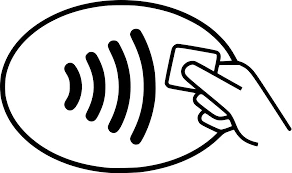
Look for this icon at checkout to use your contactless card!
What are the benefits of using your contactless feature?
- Your contactless transactions are just as secure! Every chip, PIN and contactless transaction include a unique code, helping to protect against fraud and keep your information safe.
- To keep your card secure, contactless transactions only work within one to two inches from the point-of-sale terminal.
- It’s more sanitary, you no longer need to type in a keypad, swipe or insert your card.
- Save time every time you tap!
How to use your contactless card?
- Look for the contactless symbol on the point-of-sale terminal.
- Tap your card one to two inches in front of the point-of-sale terminal.
- Wait for a beep or green light before removing your card. You can put your card away now; you won’t need it for the remainder of your transaction.
- Follow any instructions on the screen, some merchants may ask you to sign or enter your PIN.
 Please note you can only use your card as contactless if the point-of-sale terminal accepts these types of payments, you’ll find this contactless symbol on the terminal if contactless payments are accepted.
- If a business does not accept contactless payments or if you receive an error, you can still insert or swipe your card to complete your transaction.
- Coming soon, all Northern Credit Union Advanced ATMs will support contactless transactions! To access Advanced ATM functions please continue to insert your Debit Card into the card reader.
Contactless cards can be requested for $5. For more information regarding these cards or businesses that accept Contactless payments, visit Visa's website: https://usa.visa.com/pay-with-visa/contactless-payments/contactless-payments.html
- How do I order an image/personalized card?
Want a debit card that’s truly yours? Make it as unique as you for only $5 per card! To personalize your card, simply:
- Click here to begin.
- Please note: The personalized debit card builder works best on the Google Chrome internet browser. If you’re using Safari on an Apple device and see an error, you may resolve it by going to Settings > Safari > (Turn Off) “Prevent Cross-Site Tracking.”
- Upload your image on the "Personalized Debit Card Builder.
- Please read the Terms and Conditions first.
- Crop, rotate, move or resize your image, if necessary.
- Profile cardholder information.
- Hit submit.
- Admire your new card approximately 10 business days!
* Currently only available for Northern debit cards.
- Click here to begin.
- Why are my debit transactions being denied so often?
There are several potential reasons your card keeps being denied. For security reasons, the specifics of your situation must be dealt with in confidence.
Please call or text us at 315-782-0155, use live chat on our website, or send us a secure message through Online or Mobile Banking to go over your transaction history.
Choose the Overdraft Protection that’s right for you
Balance a little low? Don’t worry, we’ve got you covered. We offer a variety of Overdraft Privilege options including coverage for checks, ACH payments, share-to-share transactions, and an Overdraft Line of Credit (ODLOC).
- How do I change my personal identification number (PIN) for my debit card?
At the time of activation, you will be able to set your own PIN. The instructions to activate your card and set your PIN will come in the mail with your card.
If you are an established cardholder call 1-800-757-9848 to reset your PIN. To expedite the process, please be sure to have your debit card available.
Access your money where and how you want to
We've made Online & Mobile Banking super easy for our members with features that let you move your money, pay bills, keep track of your balances, and more! This is the epitome of banking-on-the-go.
Banking on the Go Enroll Today
- How do I activate my debit card?
If you have received your card in the mail, use the instructions for debit card activation that accompanied the card. You can also call 1-800-992-3808 to get started.
If you are an established cardholder and you do not know your PIN, call 1-800-757-9848 to reset your PIN. To expedite the process, please be sure to have your debit card available.
Access your money where and how you want to
We've made Online & Mobile Banking super easy for our members with features that let you move your money, pay bills, keep track of your balances, and more! This is the epitome of banking-on-the-go.
Banking on the Go Enroll Today
- What is my debit card purchase limit?
Purchase limits may vary. If you have questions regarding your limit or need to make a larger purchase, please call or text us at 315-782-0155 and a team member would be happy to assist you.
- What is my PIN for my debit card?
If you are a new cardholder, your ATM or debit card will arrive in the mail with instructions to activate it. At the time of activation, you will be able to set your own PIN.
If you’re an established cardholder and you do not know your PIN, call 1-800-757-9848 to reset it. To expedite the process, please be sure to have your debit card available.
Get the best Credit Card for your lifestyle
Designed with you in mind, Northern Credit Union’s Visa® credit cards give you the choice of 1.5% cashback or superior rates. Our cards always offer no balance transfer fees and 0% intro APR on balances for 12 months after account opening. Apply today and take advantage of our fast approval process and in-house card printing to start using your new credit card right away!
- Can I use my debit card while traveling internationally?
Yes, your debit card is accepted internationally! Please note, an International Service Assessment (ISA) fee will be assessed at the rate of 1.00% of each single currency transaction in U.S. dollars of the US Dollar amount on all foreign transactions.
Taking a trip?
If you're traveling, it's important that you let us know. We want to keep your account and hard-earned money safe and location-based security measures are meant to protect you. Travel notifications allow us to make sure your debit and/or credit card purchase isn't wrongfully declined when we see you've made a purchase outside your usual geographic location. Let us know you're traveling using Debit Card Controls and Credit Card Controls in Online or Mobile Banking.
- How can I block and unblock my debit card or credit card and set up travel notifications?
Follow the steps below:
- Log in to Online Banking or Mobile Banking.
- Click on the Account Services tabfrom the main menu.
- Click on Debit Card Controls and select your debit card.
- Under Card Details select the card you'd like to manage.
- To block your card, swipe the toggle OFF to block your card for continued protection. You will be asked if you're sure you want to turn your card off. Click yes. Your card will display as OFF.
- To set up a travel notice, click the Travel Notices button.
- Enter a start and end date.
- Enter your destination.
- Click the Save button.
Please Note: clicking on the image of your credit card will provide Credit Card Management options. Click the dropdown to click on the link provided, then select the credit card account you want to manage to go directly to MyCardInfo where you can block/unblock your card, set travel notifications, report it lost or stolen, and more.
Please refer to our Online & Mobile Banking User Guide for more information.
Prevent fraud, theft, and financial loss
Your peace of mind and account security are our top priorities! You work hard for your money, and we respect that, which is why we partner with EZShield to monitor your personal information and help you prevent identity theft from happening to you.
visit our fraut prevention center
- How do I order a new debit card?
To order a new debit card, contact a team member by:
- Sending us a secure message through the Message Center in Online/Mobile Banking to let us know how you want to card issued.
- Log into Online Banking and click the envelope icon next to the profile image, or access the Message Center under the Resources & Support tab.
- On the Mobile Banking app, select More in the bottom right-hand corner to access the Resources & Support tab.
Some additional options include:
- Calling or texting 315-782-0155
- Visiting one of our Relationship Centers to have a card printed on demand.
If your card has been lost or stolen after hours, contact Card services immediately to block your card at 1-800-472-3272.
You may either pick up your new card at the relationship center closest to you or we can send it to you in first-class mail. We can overnight your card to you at an additional cost.
Get the best Credit Card for your lifestyle
Designed with you in mind, Northern Credit Union’s Visa® credit cards give you the choice of 1.5% cashback or superior rates. Our cards always offer no balance transfer fees and 0% intro APR on balances for 12 months after account opening. Apply today and take advantage of our fast approval process and in-house card printing to start using your new credit card right away!
- Sending us a secure message through the Message Center in Online/Mobile Banking to let us know how you want to card issued.
- My debit card is being denied at the merchant, what do I do?
There can be several reasons that a card would be denied. For security reasons, the specifics of your situation must be dealt with in confidence.
Please call or text us at 315-782-0155, use live chat on our website, or send us a secure message through Online or Mobile Banking so we can review your account with you.
Choose the Overdraft Protection that’s right for you
Balance a little low? Don’t worry, we’ve got you covered. We offer a variety of Overdraft Privilege options including coverage for checks, ACH payments, share-to-share transactions, and an Overdraft Line of Credit (ODLOC).